The days of forcing website visitors to download Word files or heavy PDFs are over. If your website still relies on static download links, you are practically asking users to leave your page and never return. This frustrates your audience and actively damages your SEO rankings.
To keep visitors engaged, you need a reliable WordPress document embedder to display files directly on your page. When looking for a solution, we could consider discussing Embed Any Document vs EmbedPress. Both tools are highly popular and serve workflows that users will definitely want to try out.
In this Embed Any Document vs EmbedPress breakdown, we will explore which solution is the best fit for your website. So, let us dive deeper.
📝 Why Document Embeds Matter for Website Performance & SEO
In 2026, user engagement is everything. According to Master Blogging, 8 out of 10 readers check out a blog post’s headline only. If you only provide static text, visitors will bounce before they even read your core message.
Using a reliable WordPress document embedder keeps users engaged on your site for much longer. In fact, studies from DemandGen and Outgrow show that interactive content generates 52.6% more engagement than traditional static pages!
By blending videos, social feeds and interactive documents, you create a rich multimedia experience. Here is exactly why modern embeds are critical for your success:
- Increases Dwell Time: Visitors spend longer on pages featuring interactive elements compared to standard text.
- Reduces Bounce Rates: Offering visual breaks and interactive content prevents users from immediately clicking the back button.
- Boosts SEO Rankings: Every time you embed interactive items like A PDF in WordPress using an engaging viewer, you signal to Google that your site offers high-value content.
Learning how to embed PDF in WordPress sites properly transforms your website from a boring blog into an interactive hub. Do not let your hard-earned traffic go to waste on a plain page!
The Breakdown of the Bests: Embed Any Document vs EmbedPress
When you search for a fast and effective document viewer plugin, you will quickly notice these two top contenders. Both plugins promise to eliminate clunky download links and improve your user experience. However, they approach the problem quite differently.
Choosing the right tool depends heavily on your technical skills, design goals and whether you want basic functionality or a premium multimedia experience. Our comprehensive Embed Any Document vs EmbedPress comparison will break down exactly what you need to know.
🛠️ Ease of Setup & User Interface
The absolute first hurdle for any website owner is usability. You want a tool that works out of the box without requiring a coding degree.
EmbedPress: The Quick Setup Wizard
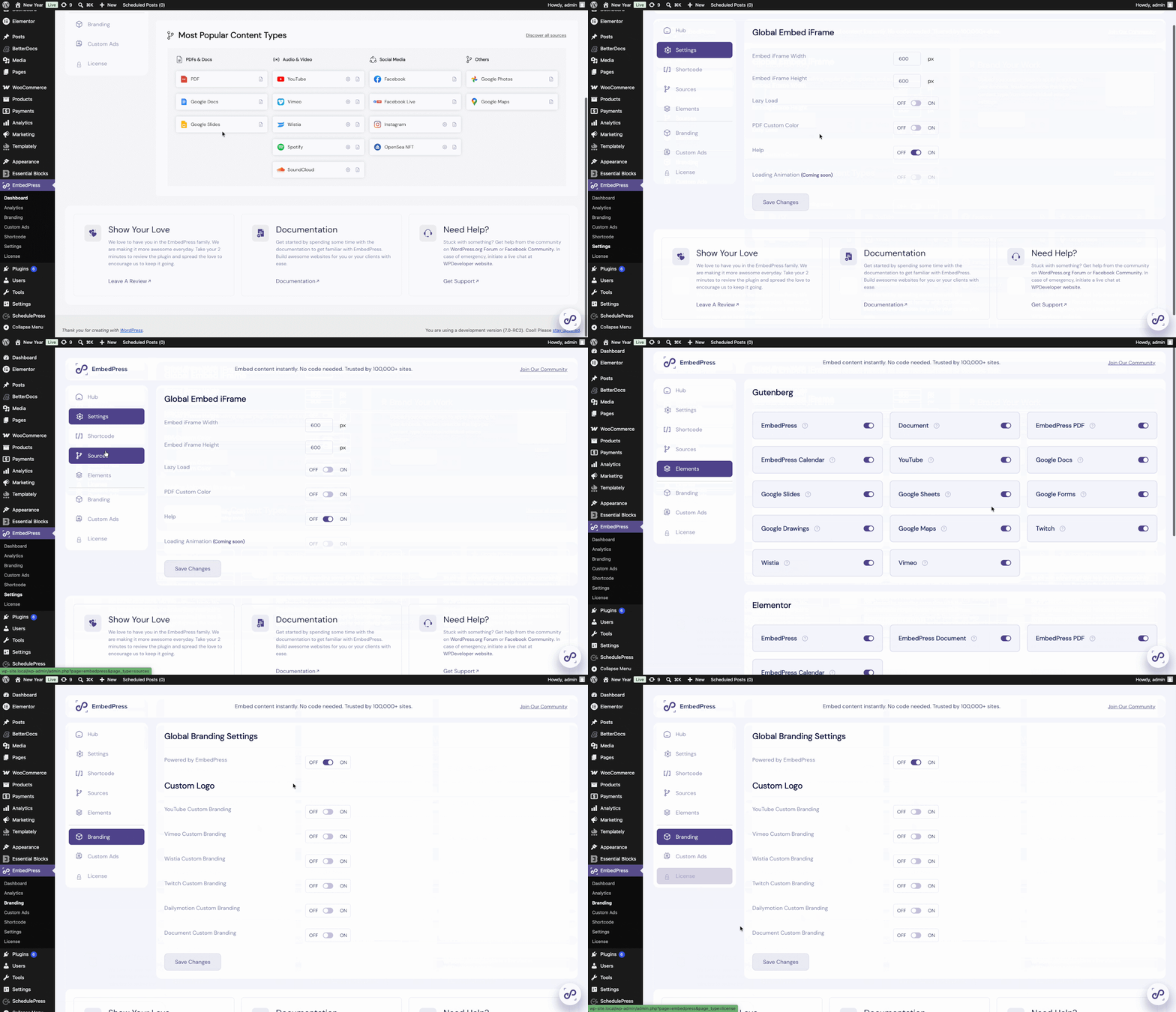
Right after you install EmbedPress, you are greeted by an incredibly friendly interactive setup wizard. This smooth onboarding process walks you through exactly how to configure your global settings. You can easily adjust your brand colors, manage premium features and set default viewer sizes from a beautiful visual dashboard. It is designed perfectly for anyone from beginners to seasoned professionals.
Embed Any Document: A Classic, Streamlined Backend
Embed Any Document takes a much more traditional approach. While it skips the interactive setup tour, it gets you straight to the point by keeping things incredibly simple. You manage your settings through the standard, familiar WordPress backend menus to select your preferred viewer types.
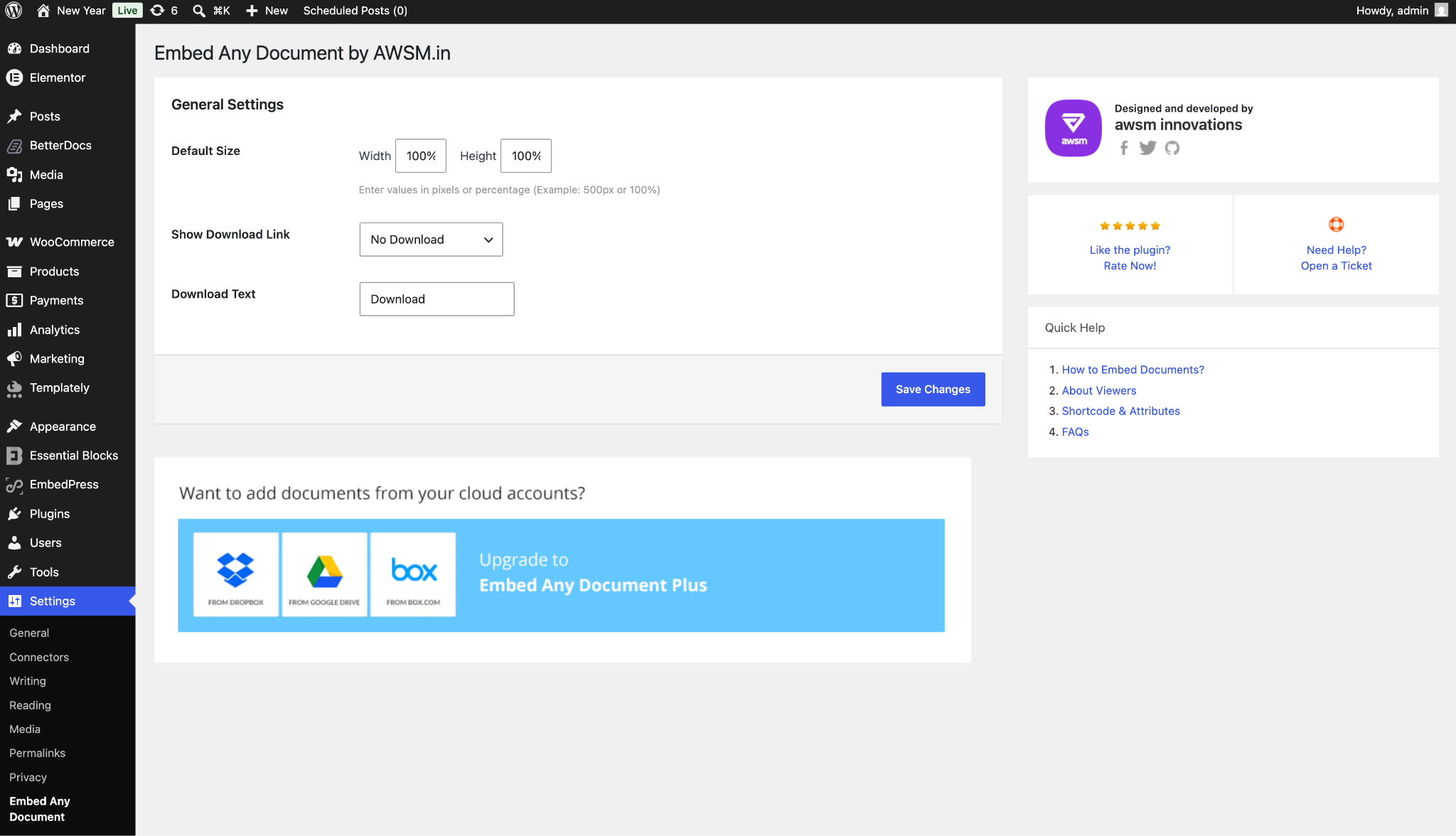
It is lightweight and highly functional. If you are someone who prefers a classic, distraction-free WordPress interface over highly visual dashboards, you will feel right at home here.
🗂️ Supported File Types & Sources
A great WordPress document embedder should be highly flexible. Let us see how Embed Any Document vs EmbedPress handles various media formats.
Embed Any Document: Specialized for Office Files
This plugin does exactly what its name implies for basic office documents. It relies entirely on third-party cloud services like Google Docs Viewer and Microsoft Office Online. You can easily embed Word files, Excel spreadsheets and PowerPoints. It is a solid, dedicated document viewer plugin for basic needs.
EmbedPress: The Ultimate Multimedia Powerhouse
This is where the Embed Any Document vs EmbedPress comparison takes a massive turn. Yes, EmbedPress natively handles PDFs, Word documents and Excel sheets perfectly. But it goes beyond that.
EmbedPress is an all-in-one embedding solution that supports over 250+ content sources. You can embed YouTube videos, live Instagram feeds, Spotify playlists and interactive Google Maps by simply pasting a URL. Why install ten different plugins when one tool handles your entire interactive content marketing strategy?
🎨 The Viewing Experience & Customization
Once your document is on the page, it needs to look professional. Visual presentation is a massive factor when you embed PDF in WordPress. When evaluating Embed Any Document vs EmbedPress for presentation, EmbedPress wins easily.
Embed Any Document: Familiar, Cloud-Based Viewers
Because Embed Any Document relies on trusted Google and Microsoft iframes, your documents are displayed using interfaces your visitors already know. The viewers work incredibly reliably and maintain a clean, standard look.
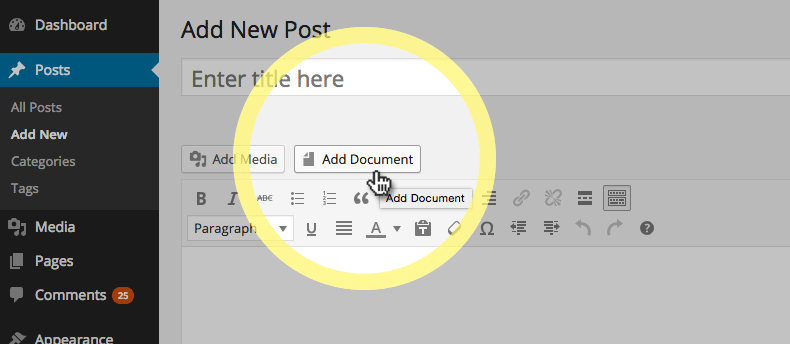
[Photo Source: Embed Any Document]
While it focuses purely on function rather than extensive visual customization or removing third-party branding, it is a fantastic plug-and-play solution. If you simply want a straightforward document display without worrying about design adjustments, this gets the job done perfectly.
EmbedPress: Total Visual Control & 3D Flipbooks
EmbedPress gives you total control over how your files look. You can customize the exact height, width and theme color of your viewer directly inside your page builder.
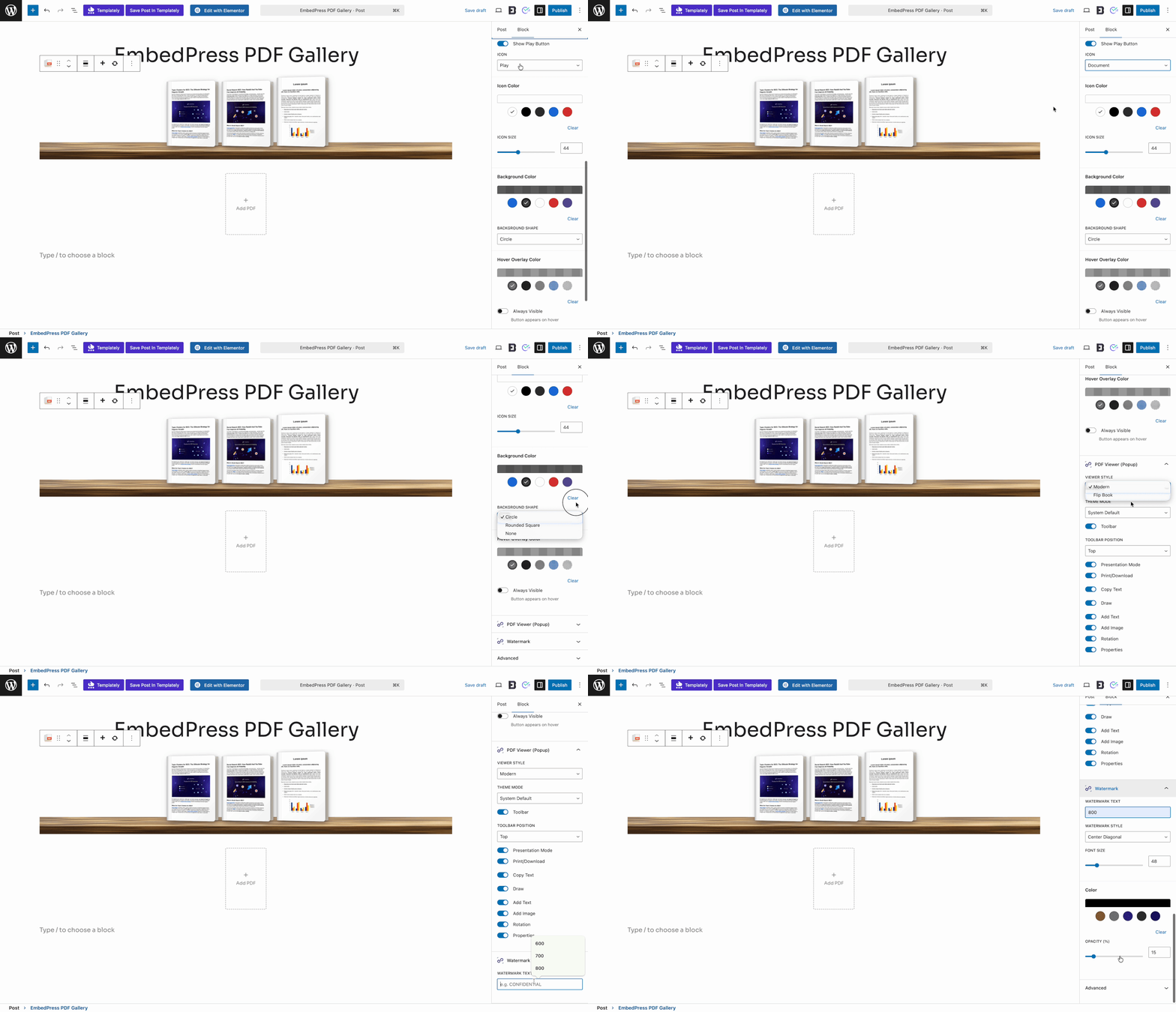
Even better, EmbedPress acts as a spectacular WordPress flipbook plugin natively. With a single click, you can turn a boring flat PDF into a stunning 3D flipbook. Readers will enjoy a realistic page-turning animation and sound effects. This highly engaging feature is an absolute game-changer for interactive content marketing.
🚀 Custom Branding & CTAs
If you share business proposals or company brochures, branding is absolutely critical. With Embed Any Document, your files are displayed using the clean, recognizable Google or Microsoft interfaces. This is excellent if you want to maintain a standard, professional look that users instantly recognize without needing to configure custom designs.
However, if you want your document player to act as an extension of your own brand identity, EmbedPress offers a highly tailored experience. You can replace the default platform branding and add your own custom company logo directly onto the document player. Furthermore, you can attach a clickable Call-To-Action (CTA) button to that logo to drive real sales and conversions.
🏗️ Page Builder Compatibility
The way we build websites has changed drastically. A modern document viewer plugin must play nicely with your favorite page builder.
Embed Any Document: Reliable Shortcode Support
The Embed Any Document vs EmbedPress workflow differs when building pages. Embed Any Document provides a solid Gutenberg block for the default WordPress editor. For advanced page builders like Elementor or Divi, it offers a robust and highly reliable shortcode system.
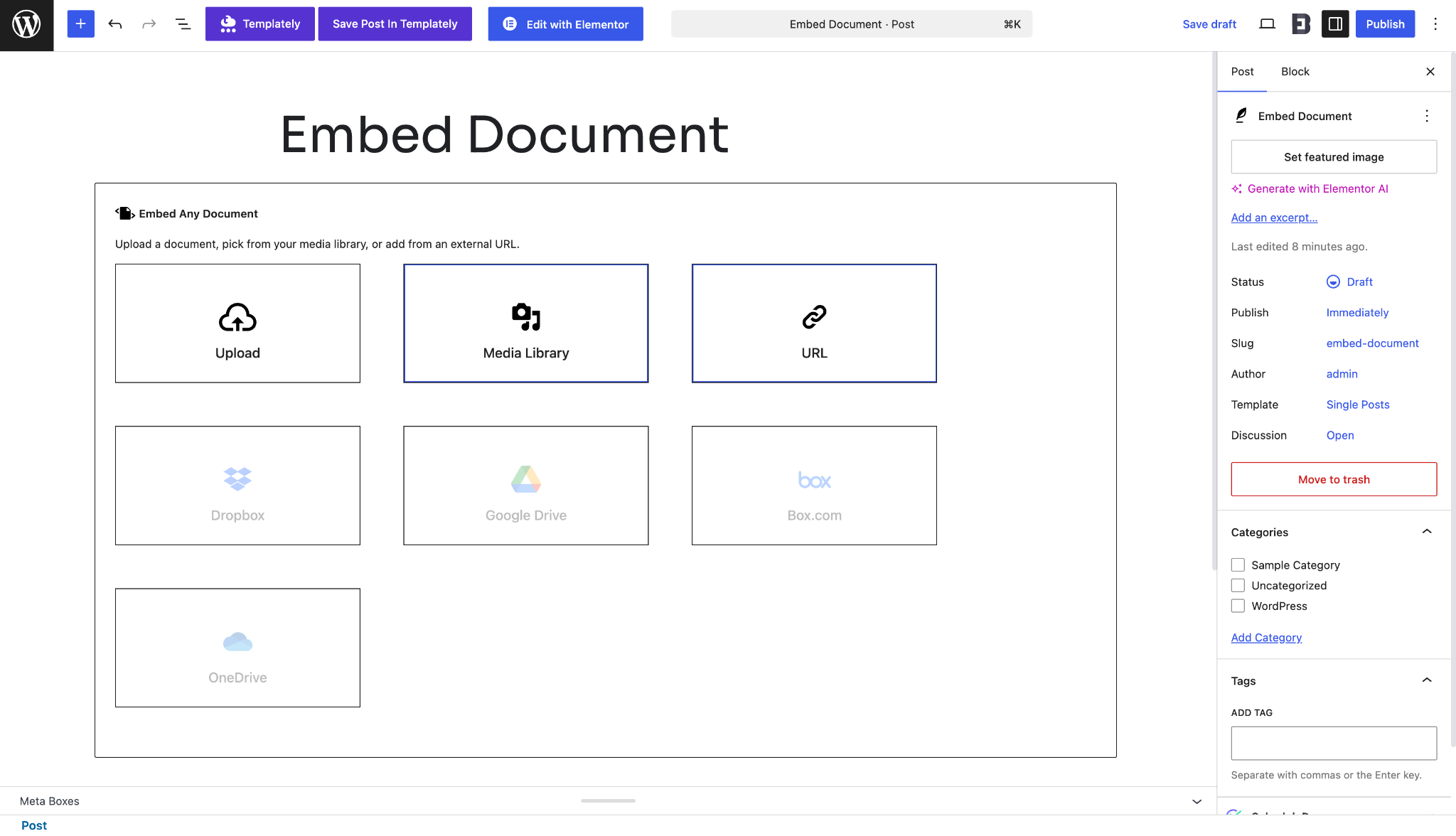
You simply generate your document shortcode in the backend and paste it into any text or shortcode widget on your page. This is a tried-and-true WordPress method that ensures your content displays securely without needing a massive visual editor interface.
EmbedPress: Native Integration Everywhere
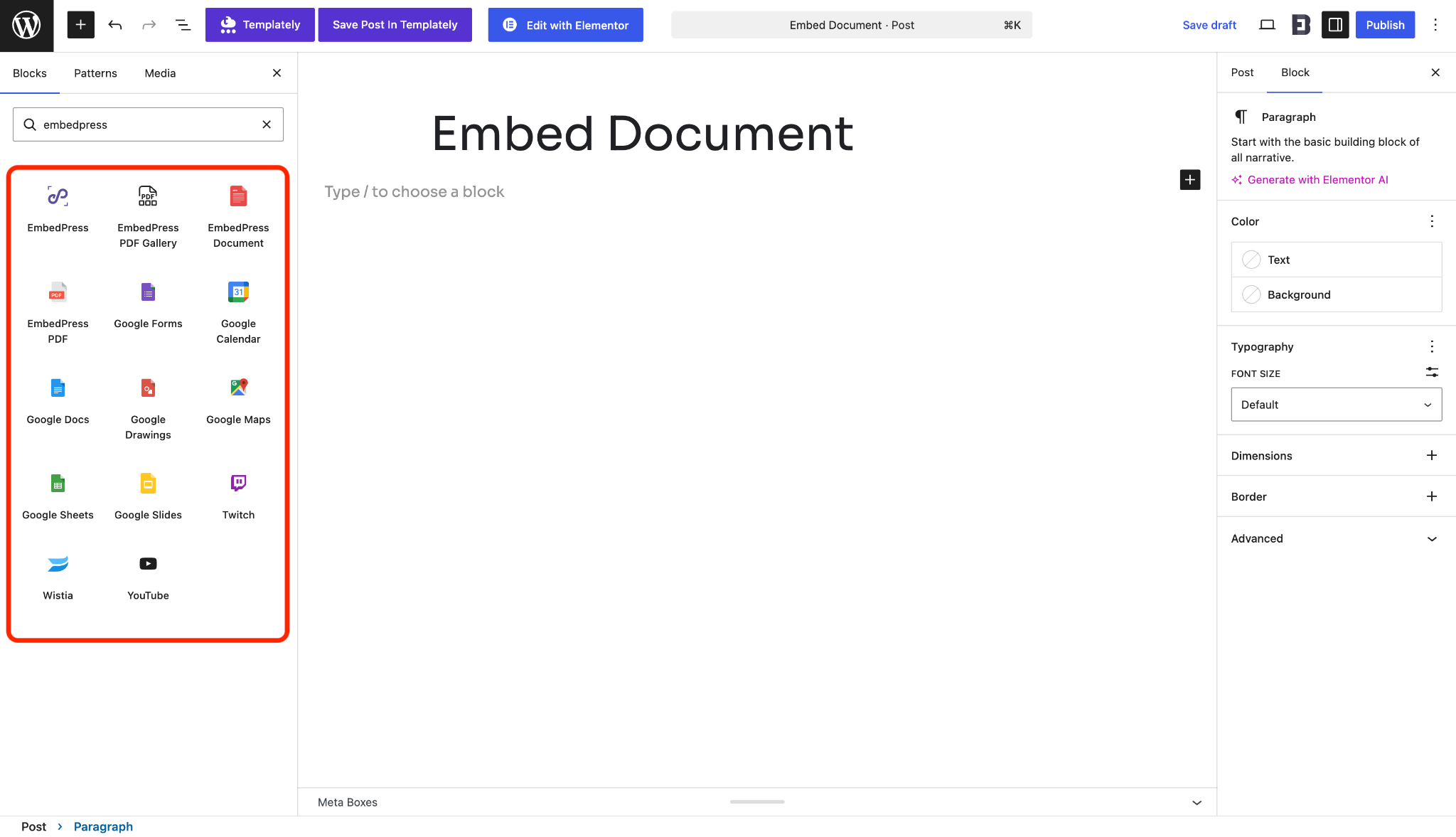
EmbedPress offers native and multiple drag-and-drop widgets for Elementor and Gutenberg, based on source and use cases. It offers dedicated blocks and widgets for PDF and PDF gallery with advanced layouts and controls.
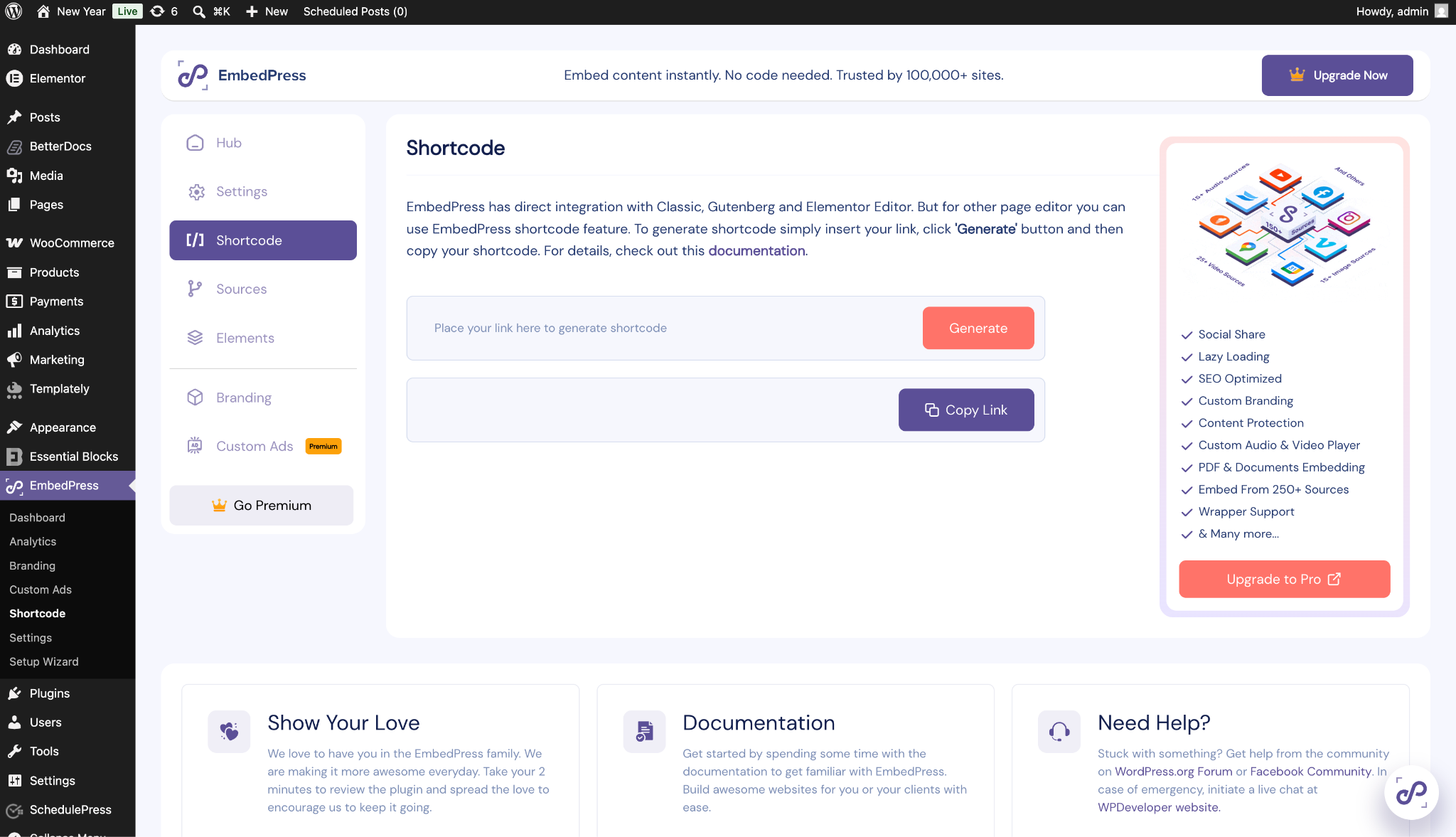
Plus, to embed in any WordPress editor other than Gutenberg and Elementor, it offers a dedicated shortcode area in the settings. Just paste your URL and convert it to a shortcode to embed any web page or source to your WordPress website. It is that simple.
💎 Which Offers Better Value: PRO Features
Both tools offer generous free versions, but creators who want an advanced experience usually upgrade to scale up. Let us compare the premium tiers in this Embed Any Document vs EmbedPress showdown.
- Embed Any Document Pro: Unlocks the ability to embed files directly from cloud drives like Dropbox, Google Drive and Box.
- EmbedPress PRO: Unlocks advanced custom branding, the 3D WordPress flipbook features, content protection, lazy loading, custom branding, social shares, custom ads, embed analytics, etc., for 250+ different multimedia sources.
| Premium Features / Capabilities | EmbedPress PRO | Embed Any Document Pro |
| 3D Flipbook Generation | Yes (One-Click) | No |
| Live Page Builder Customization | Yes (Native Widgets) | No (Shortcode Reliant) |
| Custom Branding & Logos | Yes | No (Standard Google/Microsoft UI) |
| Social Share Buttons | Yes | No |
| Embed 250+ Other Media Sources | Yes | No (Office Documents Only) |
| Custom Colors & Theming | Yes | No |
| Place Custom Ads Over Embeds | Yes | No |
| Cloud Drive Integration (Dropbox, etc.) | Yes | No |
| Clickable Custom CTAs | Yes | No |
| Analytics & Tracking | Yes (Advanced Add-ons) | No |
When you look at pure value, EmbedPress PRO provides an entire suite of interactive content marketing features for the price of one subscription. It is the most powerful WordPress document embedder on the market today.
🏆 Final Verdict: the Embed Any Document vs EmbedPress Breakdown
So, which plugin should you choose? The Embed Any Document vs EmbedPress debate comes down to your specific needs.
If you are a minimalist who only wants a basic Google iframe for standard Word files, Embed Any Document is a perfectly fine, lightweight choice.
However, if you value modern design, user experience and workflow speed, EmbedPress stays ahead. It is far more than just a basic document viewer plugin. It empowers you to present your documents beautifully without any technical headaches.
Want to explore EmbedPress? Download now and let us know in the comments how it improves your website engagement. Do not forget to subscribe to our blogs and join our community for more helpful WordPress tips and tricks.