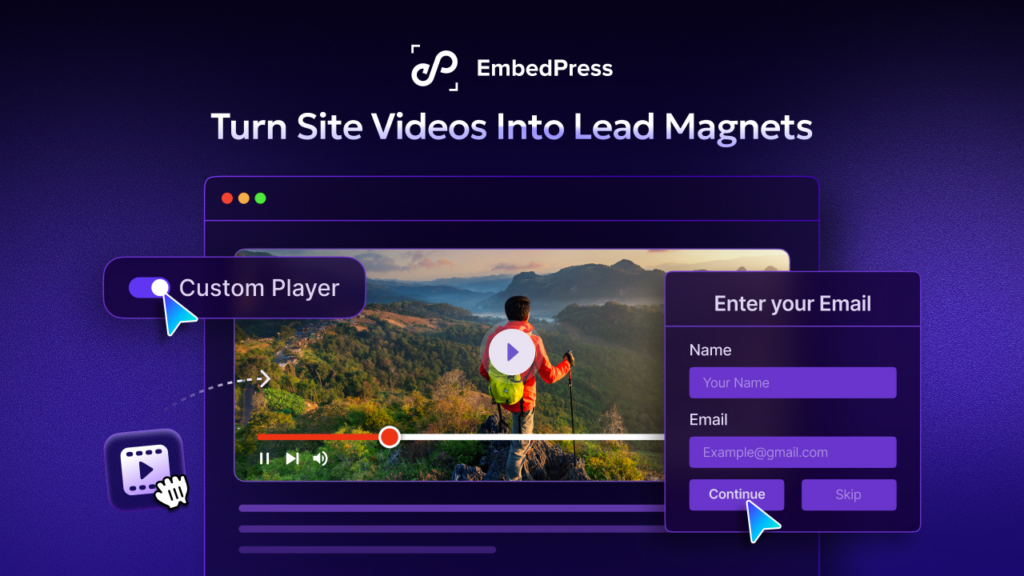
Building an email list used to feel easy, but that old playbook does not work anymore. Now, most visitors close pop-ups in less than a second, ignore sidebar forms completely and view exit-intent boxes as an annoying trap. To actually capture attention and grow your audience today, you could utilize visual content, especially a video lead magnet.
People do not hate giving you their email. They simply hate giving it away for nothing. A video lead magnet is a marketing approach that asks for just an email before it hands over what visitors have come for: their desired video content.
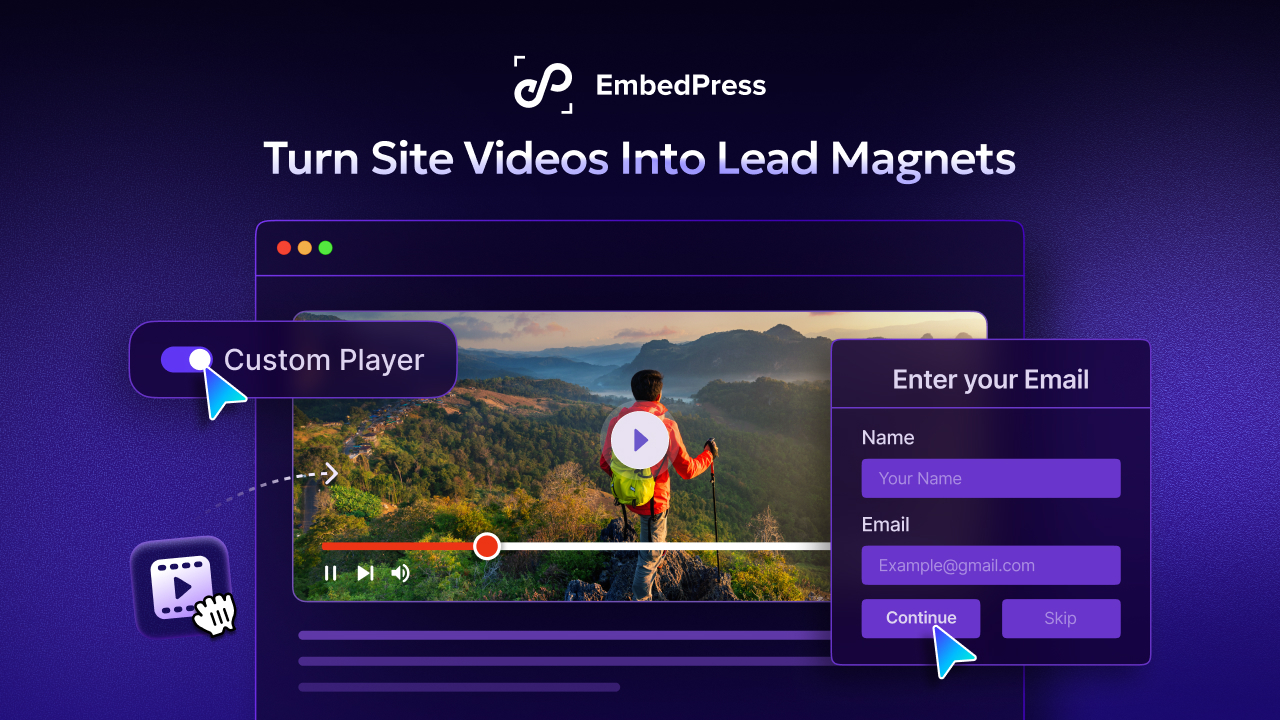
It turns passive watching into active list building without annoying a single person. In this guide, you will learn how to build one inside WordPress with no code, no developer and no separate funnel tool. By the end, you will see how one simple feature can quietly grow your lead capture list while you sleep.
🎬 Why Video Is the Ultimate Conversion Tool
People love to watch. Given the choice between reading a long article and watching a short clip, most visitors will press play every time.
In 2026, keeping a visitor on your website is harder than ever. According to recent marketing studies by Wyzowl, the vast majority of people prefer to watch a short video to learn about a product rather than read text. If you only provide long walls of text, visitors will bounce before they even read your core message.
Video holds attention longer than plain text. It also builds trust faster, because your audience can see a face, hear a voice and feel a real personality behind the brand. That kind of attention is pure gold for WordPress lead generation.
Here is the simple psychology that makes it work:
- A strong video sparks curiosity, so your viewer wants to see what happens next.
- When the most valuable moment is locked, that curiosity turns into real motivation.
- Trading an email to unlock the value feels like a fair deal.
This is exactly why a video lead magnet converts so well. Your visitor is already engaged and leaning in, so the request for an email feels natural instead of pushy.
Compare that to a cold pop-up that interrupts someone the second they land. One feels like a reward while the other feels like a roadblock.
When you pair the right video clip with the right offer, your WordPress lead generation starts to run on autopilot. The video does the selling and the form does the catching.
✨ Meet the EmbedPress Email Capture Feature
So how do you turn a normal video into a lead magnet without touching code? You use the EmbedPress custom player.
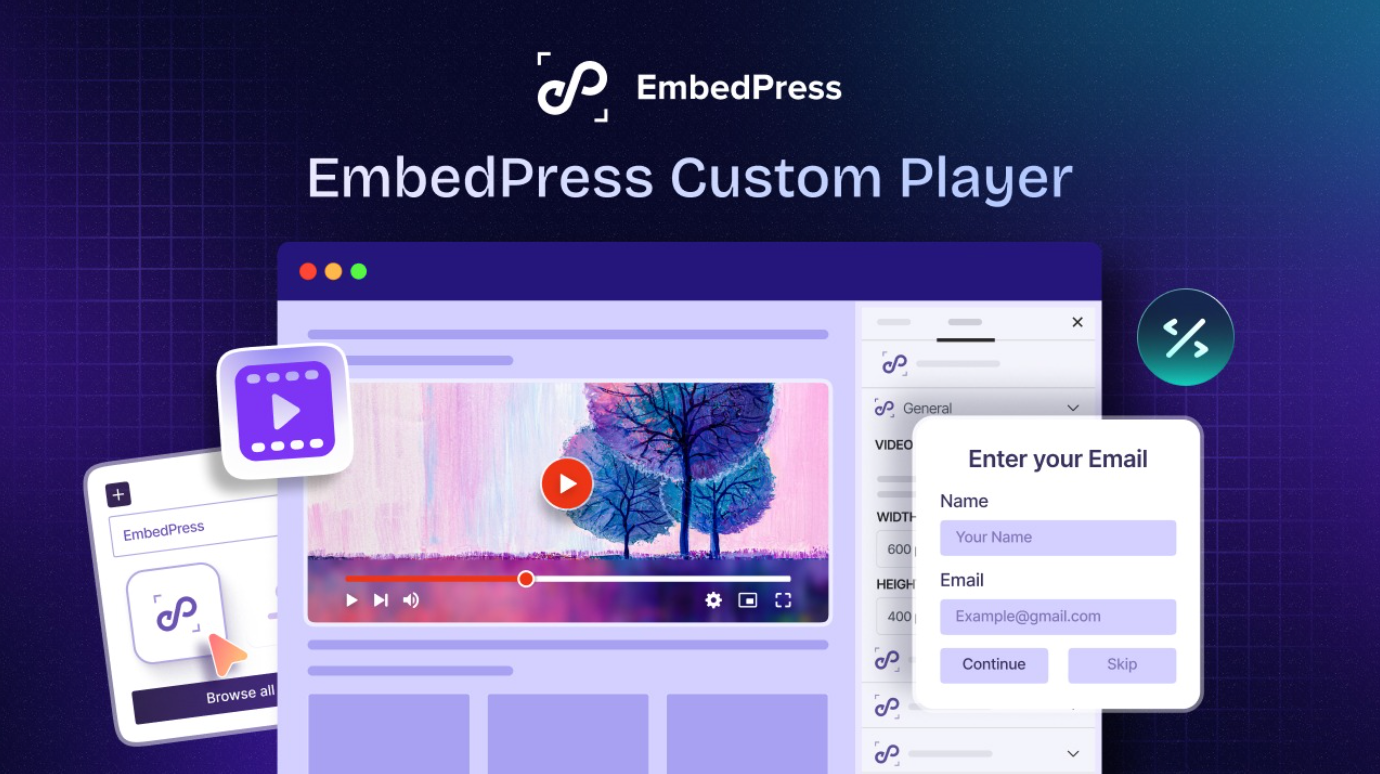
EmbedPress is a popular WordPress embedding plugin that lets you embed and style videos with ease. It already handles links from YouTube, Vimeo, self-hosted files and many more sources. The new Email Capture feature takes all of that one big step further.
Instead of pushing people off to a separate landing page, the EmbedPress custom player places a clean email capture form right inside the video frame.
Stop and picture that for a moment. The form sits on top of the video, exactly where your viewer is already looking. There is no extra page to design, no clunky redirect and no awkward break in the experience that gives people a reason to leave. This is what makes the email capture video player so powerful. It removes the friction that quietly kills most signups.
It is also a smarter approach to WordPress lead generation because every click stays on your page and inside your content.
With the EmbedPress custom player, you can:
- Show an email form before the video even begins to play.
- Pause the video at a chosen moment and ask for an email right then.
- Gather a list of each new subscriber straight into your dashboard.
That is a complete video lead magnet system built into a single, minimal feature.
🧱 Works in Both Gutenberg and Elementor (Same Controls)
Here is some good news that makes this even easier to adopt. The Email Capture feature is not locked to a single page builder. It works inside both the native Gutenberg block editor and Elementor, so you can use it no matter how you build your pages.
Even better, both versions share the exact same controls and tools. Whether you reach for the block as the Gutenberg video player or the Elementor widget, you get the same lock options, the same timestamp pause and the same email settings.
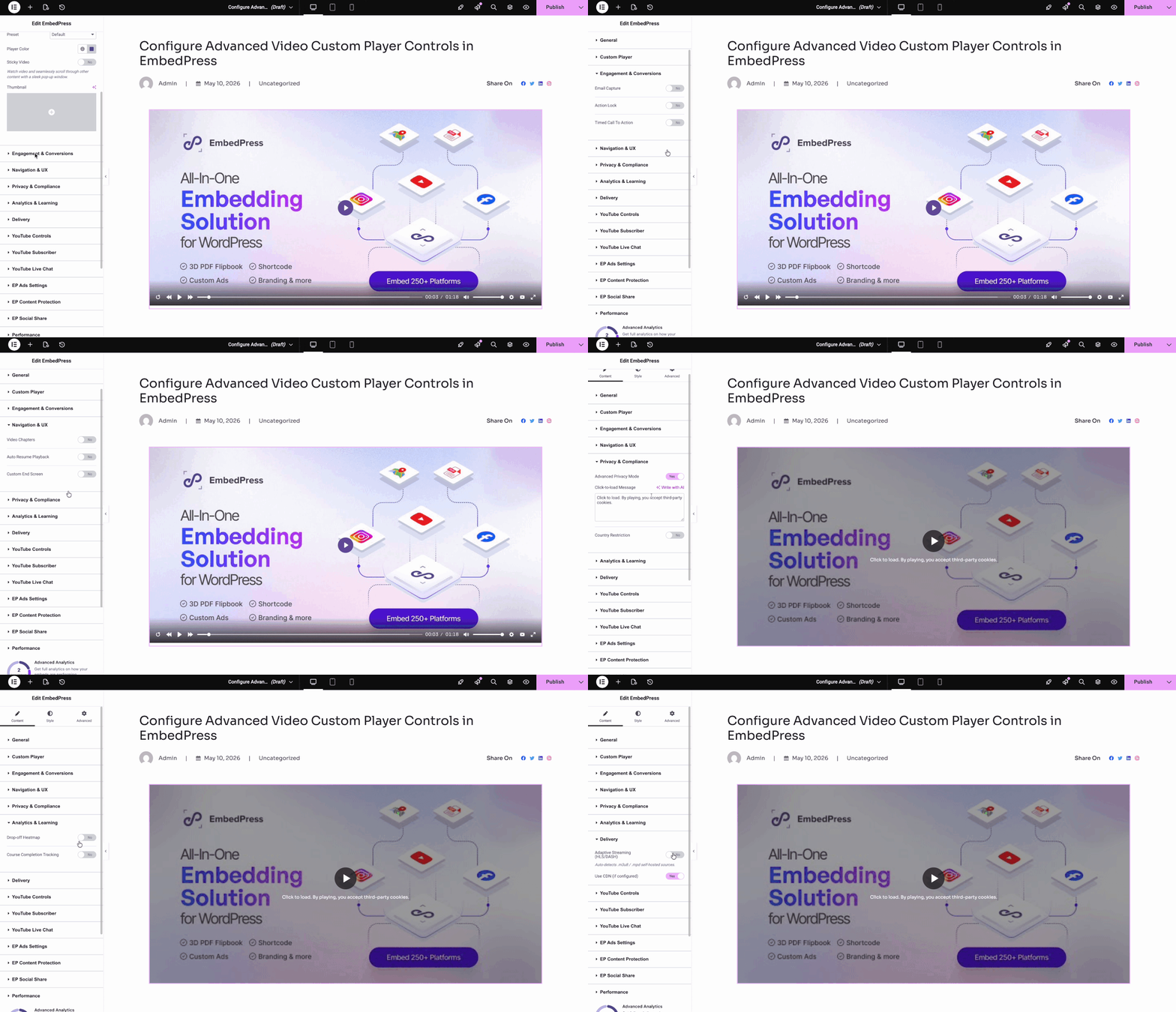
That means there is nothing new to learn when you switch between editors. The setup feels familiar and your results stay consistent across the whole site.
- Block editor fans get the Gutenberg video player as a native block that drops straight into the page.
- Elementor fans get a matching widget with the same email capture behavior.
Because it lives right inside your builder, the video, the form and the design all stay together in one tidy spot. There are no shortcodes to memorize and no settings buried five menus deep. What you see in the editor is what your visitors get.
⚙️ How an Email Capture Video Player Works in EmbedPress
Setting up your first video lead magnet is refreshingly simple. Here is the full no-code process from start to finish for the Gutenberg block editor.
Step 1: Add the Block
Open a page or post in Gutenberg (or Elementor, if you prefer). Search for the EmbedPress block, add it to your layout and paste in your video link. Your video appears instantly inside the editor.
Step 2: Turn On Email Capture
Inside the block settings, switch on the Email Capture option. This single toggle is what transforms a plain clip into an email capture video player.
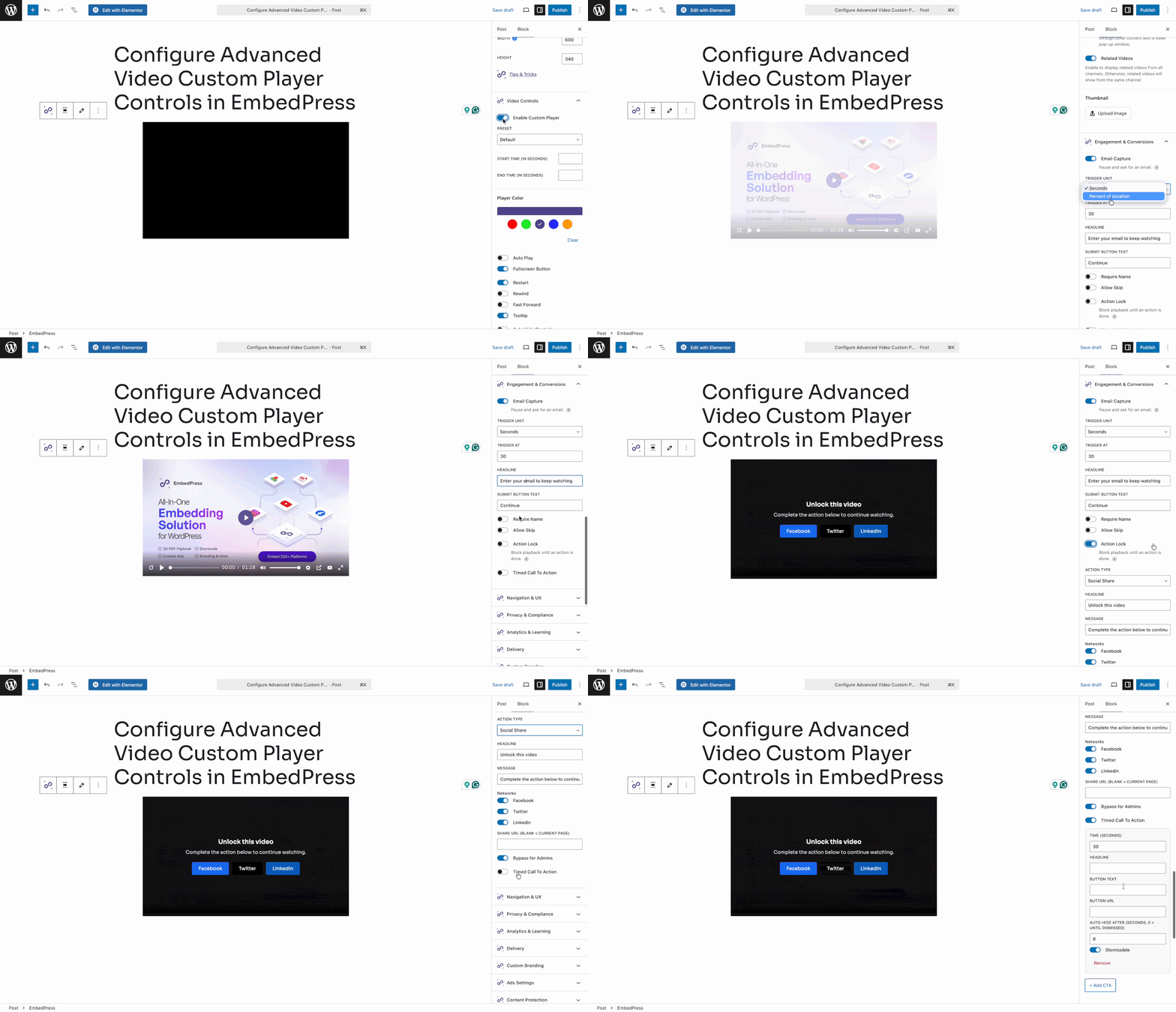
Step 3: Choose When to Ask
Now you decide the exact moment your form shows up. You have two main choices and each one fits a different goal:
- Lock the time: The viewer must enter an email before continuing to watch. Set trigger unit and time best suited for you. This works best for premium, gated or exclusive content that people clearly want.
- Set headline & button text: On the email capture form, set the best-converting headline that aligns with your video and brand. Also, a perfect button text will complement the form.
This approach is the real secret of a high-converting video lead magnet. You let the viewer get hooked first and then you make the ask while attention is at its highest.
Step 4: Publish & Check
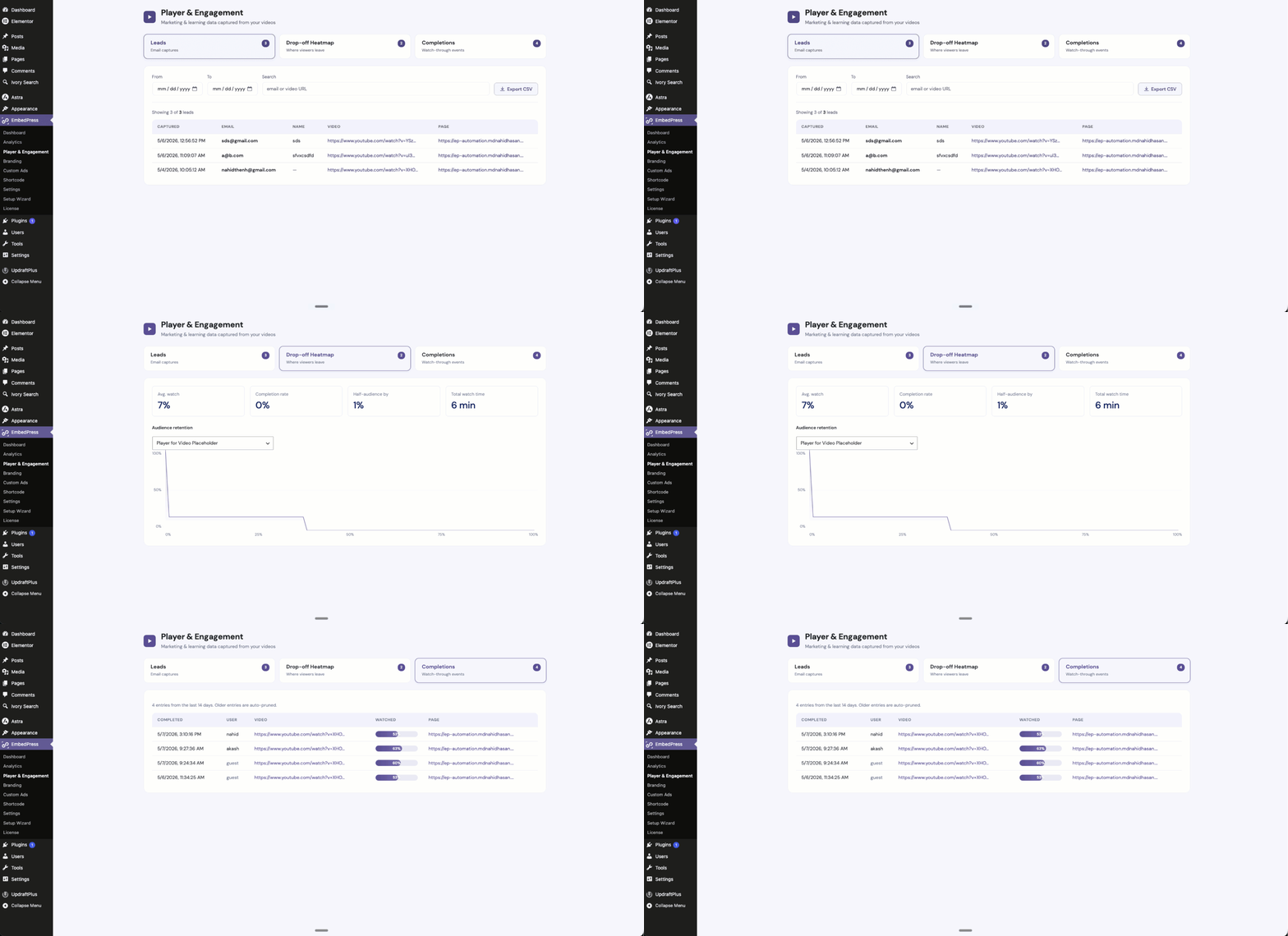
Your video is now a working lead machine that runs every hour of every day. No developer. No code. No second tool to pay for. Need to check where your leads are getting enlisted? Hover over to EmbedPress → Player & Engagement. Check the Leads tab and you will see all your email list along with the video details they are coming from.
📈 Best Practices for High Conversion Rates
A video lead magnet only works when the offer behind it feels worth the trade. Use these tips to push your numbers higher.
Keep the Video Tightly Relevant
Match the video to the page it lives on. A visitor reading about email marketing should see a clip about email marketing, not a random brand promo. Relevance is what makes the email feel like a small price for a big reward.
Write a Clear Call to Action
Add one short line of text above the form that tells people exactly what they get. Something like “Enter your email to unlock the full walkthrough” will beat a vague “Sign up” every single time. Be specific about the value waiting on the other side.
Deliver Value Right Away
The moment someone hands over an email, give them the goods. Unlock the rest of the video instantly or send the promised resource within seconds. A fast payoff builds trust and lowers refund requests, unsubscribes and buyer regret.
When you keep these three habits tight, your WordPress lead generation climbs steadily week after week.
A few more quick wins worth trying:
- Keep the form short and ask for an email only.
- Set your pause point to land right after your strongest hook.
- Test two or three different timestamps and keep the winner.
- Use a friendly, human headline instead of stiff corporate language.
Small changes here add up fast. A better pause point alone can lift your signup rate in a noticeable way.
💡 3 Creative Ways to Use a Video Lead Magnet
Still wondering how this fits your business? Here are three proven ways to put it to work across very different industries.
1. The Real Estate Virtual Tour
A real estate agent posts a stunning property walkthrough. The video plays for 30 seconds and then pauses, asking for an email to continue the full tour.
Now every serious buyer becomes a warm lead and the agent can follow up while the property is still fresh in mind.
2. The Free Mini Course
A coach or agency offers a free marketing course on their site. The very first lesson is locked, so the video requires an email before it begins.
This builds a list of people who actually want to learn. They are not random subscribers. They are future customers who raised their hands first.
3. The Software Demo Reveal
A software company shares a product demo on a feature page. The email capture video player pauses at the exact moment a major feature is revealed.
Curiosity is sky-high in that second, so signups are too. The viewer trades an email to see the feature in full, and the company captures a lead at peak interest.
Each example uses the same core idea. You give real value first and then you ask for an email at the perfect moment. That timing is the heart of every great video lead magnet.
🚀 Start Growing Your Lead List Today
Old-school pop-ups and dusty sidebar forms have run their course. Today, your visitors want real value and they want it in a format they actually enjoy. A video lead magnet gives them exactly that. It turns the content people already love into a steady stream of new subscribers, day and night.
With the EmbedPress custom player, you can build this in minutes, with no code and no extra landing pages. And because the Email Capture feature works in both Gutenberg and Elementor, you are free to build it whichever way you prefer.
Do not forget to join our Facebook community to share your experience and connect with other modern creators! You can also subscribe to our blogs for valuable tutorials, guides, knowledge, tips and the latest WordPress updates.