Do you want visitors to stay on your website longer? High-quality videos are the absolute secret to keeping people engaged. When you spend hours recording a perfect video, the last thing you want is a clunky viewing experience.
Slow, messy videos will make visitors leave your site immediately. If you are maintaining a WordPress website and you want your visitors to get a pleasant viewing experience, you need the perfect solution to display videos beautifully. This brings us to the ultimate matchup to find the best plugin for your site. The Embed Plus vs EmbedPress debate is very common among digital marketers in recent times.
Both of these plugins are incredibly popular in the WordPress community. In this Embed Plus vs EmbedPress comparison, we will help you decide which one fits your needs perfectly. Let us find your ideal custom video player WordPress setup.
🚀 TL;DR or Quick Summary: Embed Plus vs EmbedPress
Are you short on time? Here is a quick look at the Embed Plus vs EmbedPress showdown. We have compared these tools based on user engagement and technical video features.
| Feature | Embed Plus | EmbedPress |
| Primary Focus | YouTube videos exclusively | YouTube plus 250 other media sources |
| Player Customization | Basic YouTube interface options | Advanced custom video player WordPress features |
| Marketing Tools | None available | Email capture, action locks and heatmaps |
| Custom Branding | None available | Add your own unique logo and colors |
| Site Speed | Standard page loading | Lazy loading, adaptive streaming and CDN support |
When you look at Embed Plus vs EmbedPress closely, you see two completely different paths. Let us review the features below in detail.
Embed Plus is a solid choice if you only want to share basic YouTube videos. Meanwhile, EmbedPress handles advanced video controls plus everything else you could ever need for embedding multimedia content in WordPress.
📝 Why Video Embeds Matter for Website Performance & SEO
In 2026, keeping a visitor on your website is harder than ever. According to recent marketing studies by Wyzowl, the vast majority of people prefer to watch a short video to learn about a product rather than reading text. If you only provide long walls of text, visitors will bounce before they even read your core message.
Using a reliable WordPress video player plugin keeps users engaged on your site for much longer. In fact, data shows that adding an engaging video to your landing page can increase conversion rates by over 80 percent!
By blending beautiful videos into your pages, you create a rich multimedia content strategy. Here is exactly why modern video embeds are critical for your success:
- Increases Dwell Time: Visitors spend much longer on pages featuring interactive videos compared to standard text.
- Reduces Bounce Rates: Offering visual breaks and engaging media prevents users from immediately clicking the back button.
- Boosts SEO Rankings: Every time you use a custom video player WordPress setup to keep viewers watching, you signal to Google that your site offers high-value content.
Learning how to manage your YouTube embed controls properly transforms your website from a boring blog into an interactive hub. Do not let your hard-earned traffic go to waste on a plain page!
🥊 The Breakdown of the Bests: Embed Plus vs EmbedPress
When you search for a fast and effective video player plugin, you will quickly notice these two top contenders. Both plugins promise to eliminate clunky default players and improve your user experience. However, they approach the problem quite differently.
Choosing the right tool depends heavily on your technical skills, design goals and whether you want basic functionality or a premium multimedia experience. Our comprehensive Embed Plus vs EmbedPress comparison will break down exactly what you need to know.
🎨 Video Player Customization
Customizing how your videos look is incredibly important for your brand. You do not want a boring default player ruining your beautiful website design. This is where a great WordPress video player plugin shines brightest. Let us see exactly how Embed Plus vs EmbedPress handle video customization.
How Embed Plus Handles Video Controls
Embed Plus offers good features for standard YouTube videos. It allows you to change simple settings easily. You can hide the video title or turn on closed captions. These YouTube embed controls are definitely helpful for beginners.
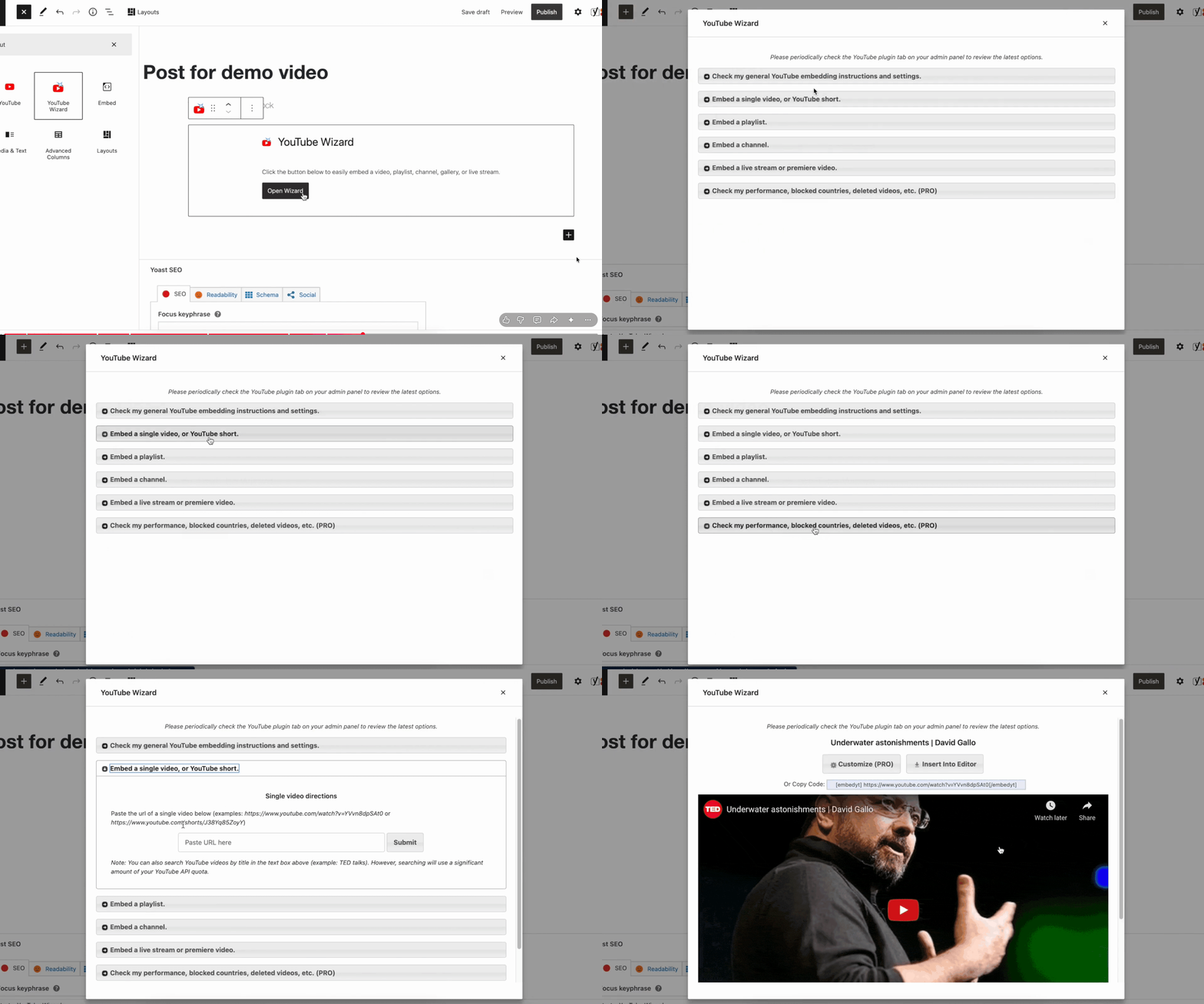
[Video Source: Embed Plus YouTube Channel]
However, it is limited strictly to the default YouTube look. You cannot easily change the main colors to match your brand style. You also cannot remove the heavy YouTube branding from your video player. This leaves your website looking generic.
If you are a professional marketer, you want your website to look completely unique. Embed Plus simply does not offer the deep visual customization that premium websites require today. It forces you to rely on the standard YouTube interface that every other website uses.
EmbedPress Advanced PRO Controls
In the Embed Plus vs EmbedPress battle, EmbedPress takes customization to a whole new level. It gives you a truly custom video player WordPress experience. You have complete control over how your media looks and feels on the page.
With EmbedPress, you can choose from beautiful player presets and easily change the colors to match your brand perfectly. You can also add your own custom branding and logos right over the video. You can even set specific start and end times to show only the best parts of your video.
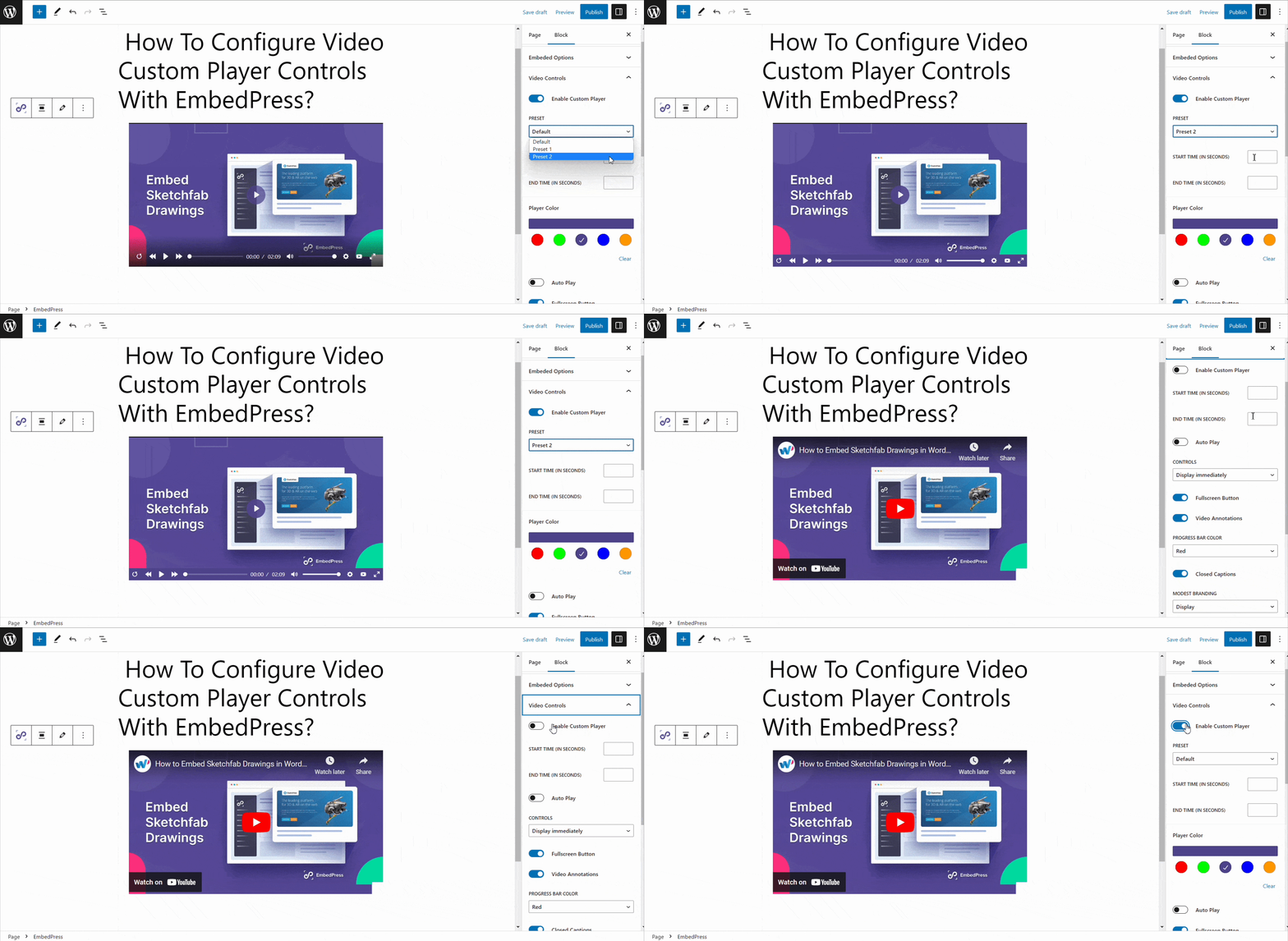
EmbedPress also lets you hide annoying related YouTube videos that distract your visitors. You get amazing features like sticky videos to let users watch while they scroll. You can also break long videos into Video Chapters to help viewers jump to the exact topics they care about most.
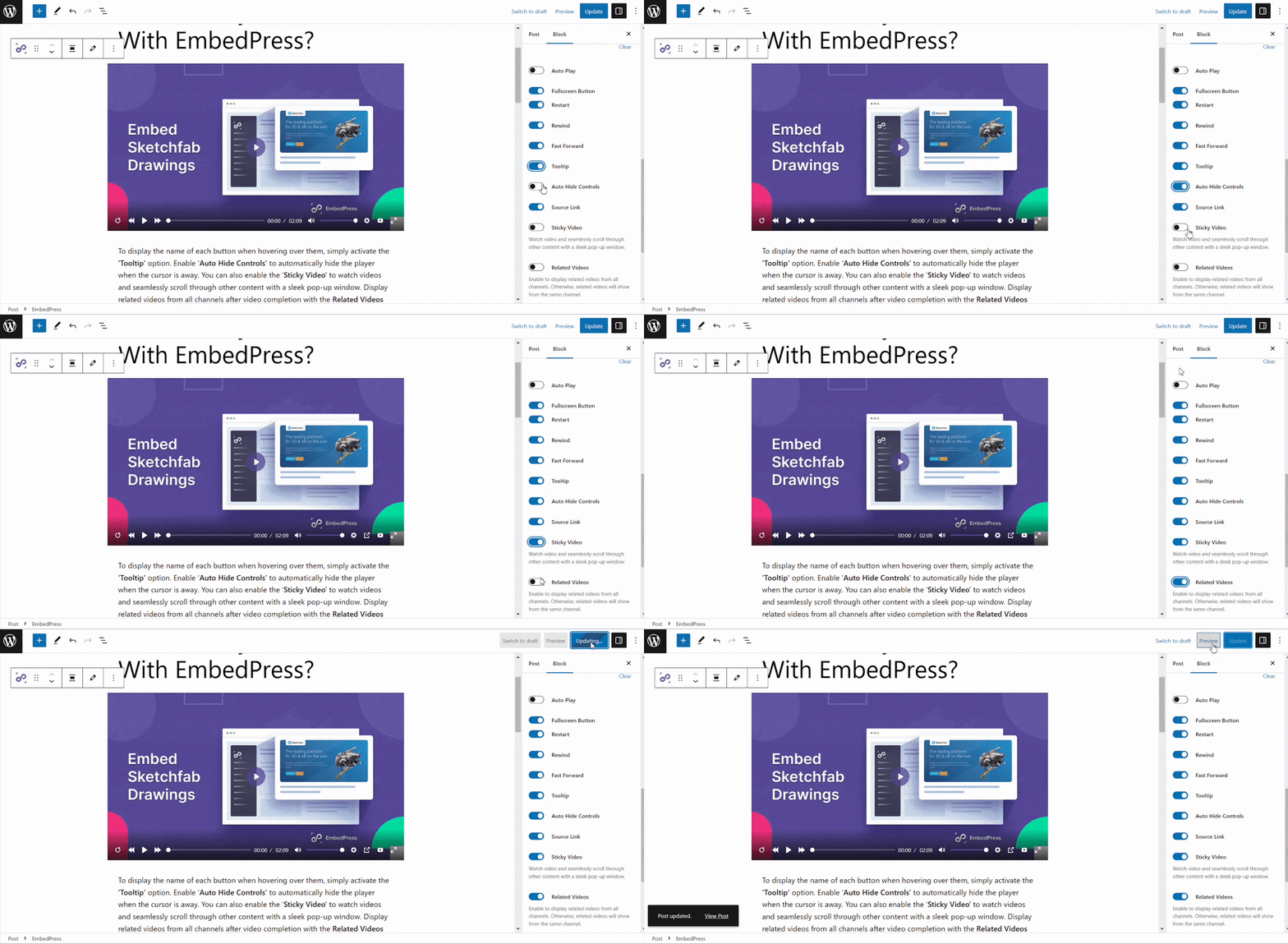
EmbedPress also works flawlessly with the Gutenberg editor and Elementor. The EmbedPress block fits perfectly into your workflow without slowing down your editing experience.
📈 Turn Videos into Marketing Tools
A normal video player just plays a video. A premium WordPress video player plugin turns your videos into a powerful marketing machine. This is where EmbedPress completely outshines basic tools.
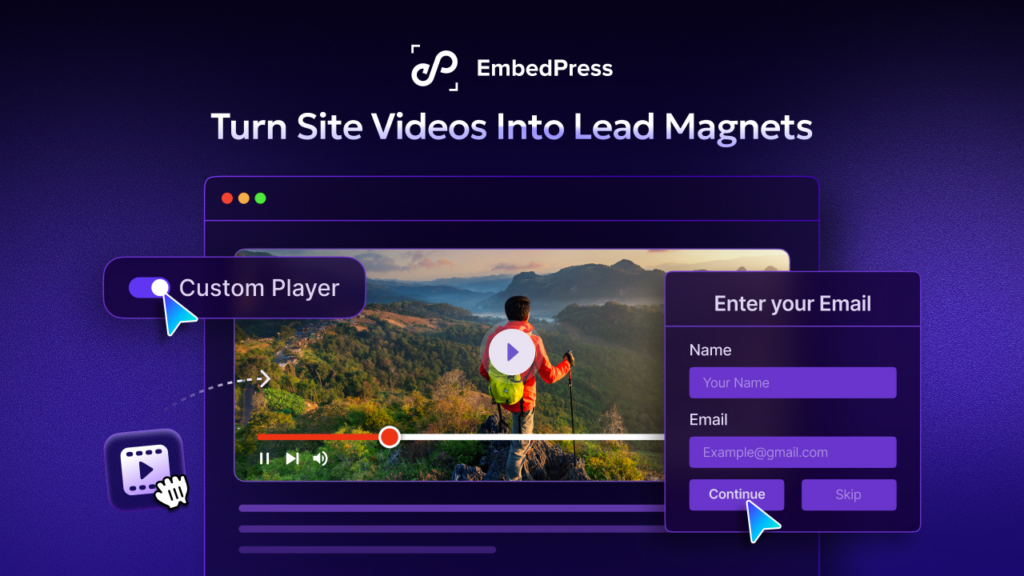
EmbedPress includes a dedicated Player and Engagement Dashboard directly inside your WordPress admin area. You can set up Email Capture to pause the video and ask viewers for their email address before they continue watching. You can export these new leads easily to grow your business.
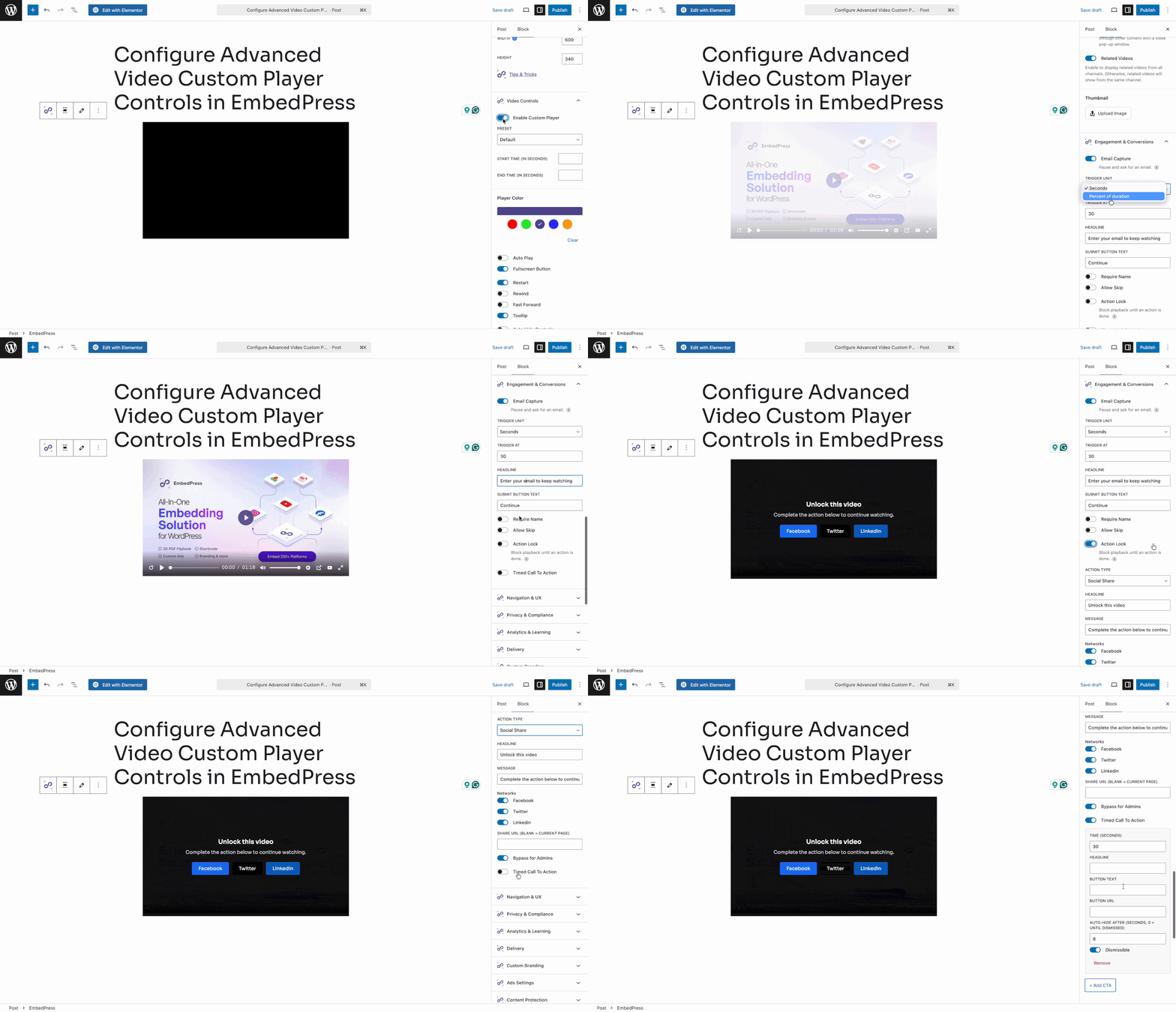
You can also use Timed Call To Action buttons to send viewers to a product page right when you mention it in the video. If you want to force engagement, you can use Action Locks to make users share your page before the video unlocks.
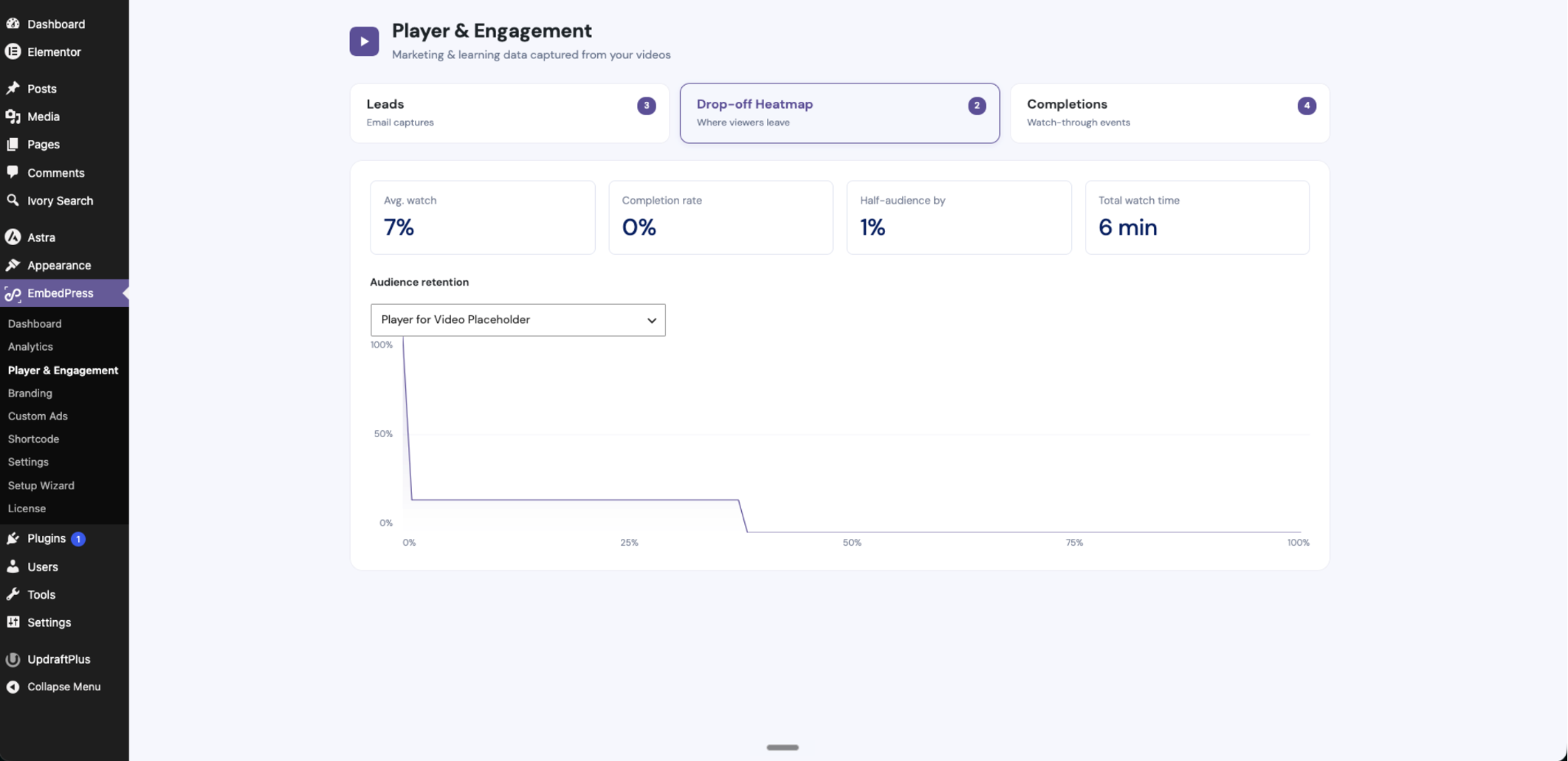
Finally, EmbedPress gives you Drop-off Heatmaps. This visual graph shows you exactly where viewers lose interest and leave the video. This helps you understand your audience better than ever before.
⚡ Site Speed & Performance
A fast website is vital for keeping your visitors happy. If your videos take too long to load, people will click away in seconds. Choosing a fast WordPress video player plugin is critical for your SEO and bounce rates. Let us compare Embed Plus vs EmbedPress on overall site speed.
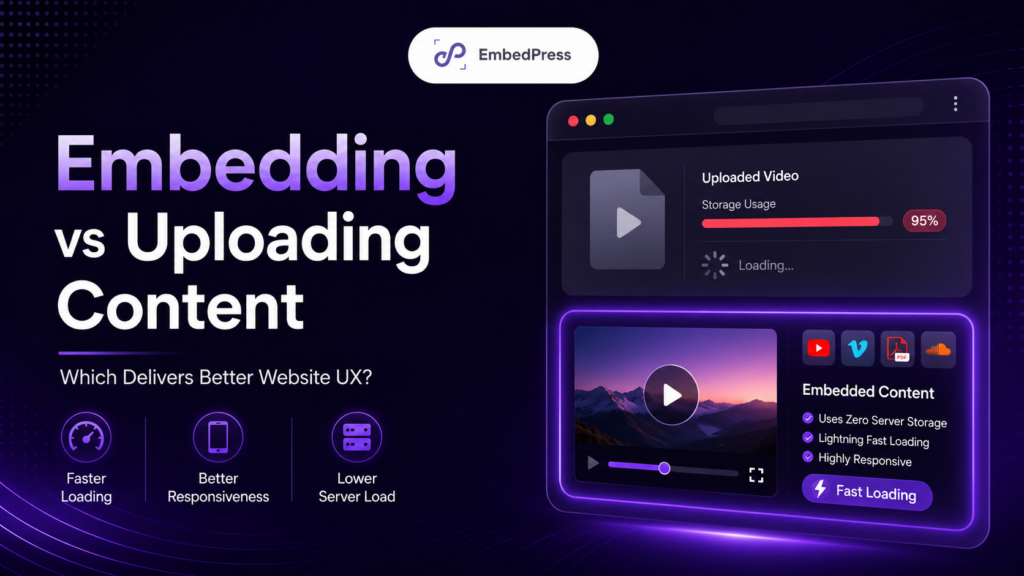
Both plugins offer ways to improve page speed. However, EmbedPress builds smart lazy loading directly into its core features. The video only loads when the visitor scrolls down to actually see it. This saves a massive amount of loading time.
EmbedPress also offers Adaptive Streaming. This smart feature automatically adjusts the video quality based on how fast the speed of the viewer is. You can even connect a CDN to deliver your videos at lightning speeds around the world.
Fast loading times mean a better experience for mobile users. EmbedPress keeps your site lightweight and extremely responsive across all devices.
🛡️ Content Protection And Privacy
When you create exclusive videos, you do not always want the whole world to see them. Sometimes, you want to share training videos or premium courses with a very specific audience.
Embed Plus gives you standard privacy modes for your videos. You can turn on the YouTube privacy-enhanced mode easily from the settings. However, it does not stop people from sharing your private page link with strangers.
EmbedPress takes your security much further. It offers powerful content protection. You can lock your exclusive videos behind a strict password or restrict them to specific user roles. You can even use Country Restrictions to block or allow viewers from specific parts of the world.
EmbedPress also features an Advanced Privacy Mode to ensure your videos meet global privacy standards like GDPR. You keep your content safe while delivering a beautiful viewing experience.
Beyond Just Video
Adding videos is just one small part of your content marketing strategy.. Modern websites need maps, podcasts, documents and social media posts. This is where a strong multimedia content strategy becomes extremely important.
In the Embed Plus vs EmbedPress comparison, the biggest difference is content variety. Embed Plus is a specialized tool that only handles YouTube. If you want to embed a Spotify podcast or a PDF file, you will need to install extra plugins.
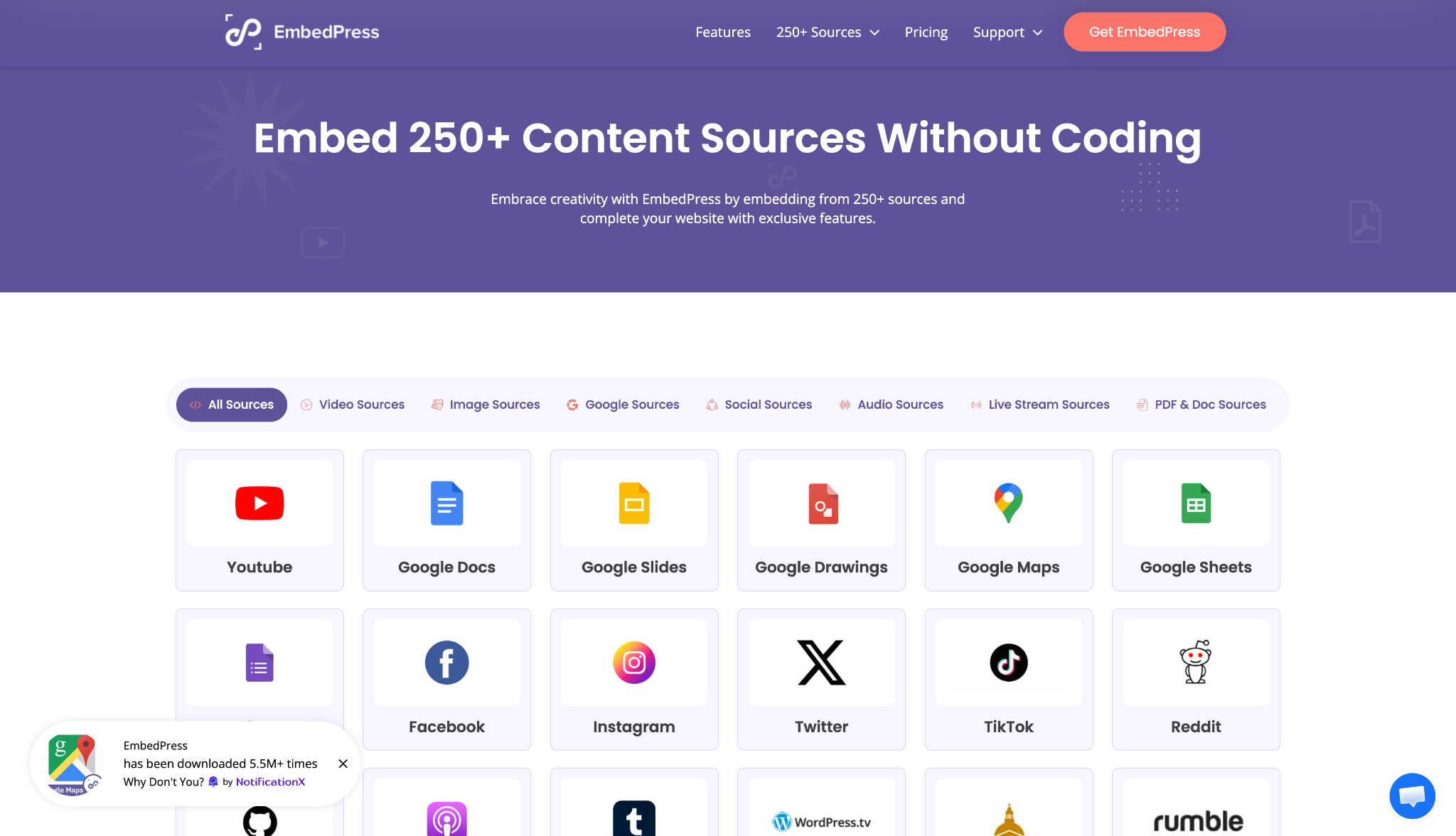
EmbedPress changes the game completely. It manages YouTube plus 250 other media sources without needing any extra plugins.
What if you want to share videos from Vimeo, Wistia or Dailymotion? With Embed Plus, you are completely out of luck. EmbedPress supports all of these professional video platforms natively.
You can easily add Spotify tracks, Google Maps, Twitch streams and TikTok videos. Having one tool that does everything reduces website bloat significantly. EmbedPress is the ultimate tool for a complete multimedia content strategy.
Frequently Asked Questions (FAQs)
We know you might have a few more questions about Embed Plus vs EmbedPress. Here are some detailed answers to help you choose the best custom video player WordPress setup for your digital brand.
Which plugin is better for a beginner setup?
Both plugins are very easy to use for new users. However, EmbedPress features a beautiful setup wizard that guides you through the whole process. You do not need to touch any confusing code to get started. You just paste your video link and hit publish.
Does a WordPress video player plugin hurt my SEO?
It will not hurt your SEO if you use a fast plugin with lazy loading. EmbedPress actually helps your SEO by keeping visitors on your site much longer. Search engines absolutely love websites that keep readers happy and deeply engaged.
Can I get advanced YouTube embed controls with EmbedPress?
Yes, you absolutely can. EmbedPress gives you powerful YouTube embed controls. You can turn on autoplay, loop videos, hide related videos and customize the player colors easily.
Do I need a separate plugin for my multimedia content strategy?
No, you do not need separate tools if you choose EmbedPress. It handles videos, audio, maps, and documents all in one convenient place. This makes executing your multimedia content strategy incredibly simple and fast.
Embed Plus vs EmbedPress: Choose The Embedding Plugin That You Need
It is time to make your final decision. The Embed Plus vs EmbedPress matchup shows two very different options. You must pick the one that fits your long-term goals best.
Embed Plus is a solid tool if you exclusively use YouTube and want a basic setup. It does its one specific job very well. However, it will not help you grow beyond simple YouTube videos.
EmbedPress is clearly the superior all-in-one upgrade. It gives you a beautiful custom video player WordPress experience with powerful marketing features and deep analytics. It also handles 250 other media sources effortlessly. It is the absolute best choice to keep your website fast, beautiful and highly engaging.
Are you ready to take full control of your website videos? Download EmbedPress today and see the amazing difference it makes! Do not forget to join our Facebook community to share your beautiful new website pages.
Do not forget to share your thoughts in the comments and join our Facebook community. You can also subscribe to our blog for helpful guides, fun tips and the latest WordPress news.