Interactive Content Marketing

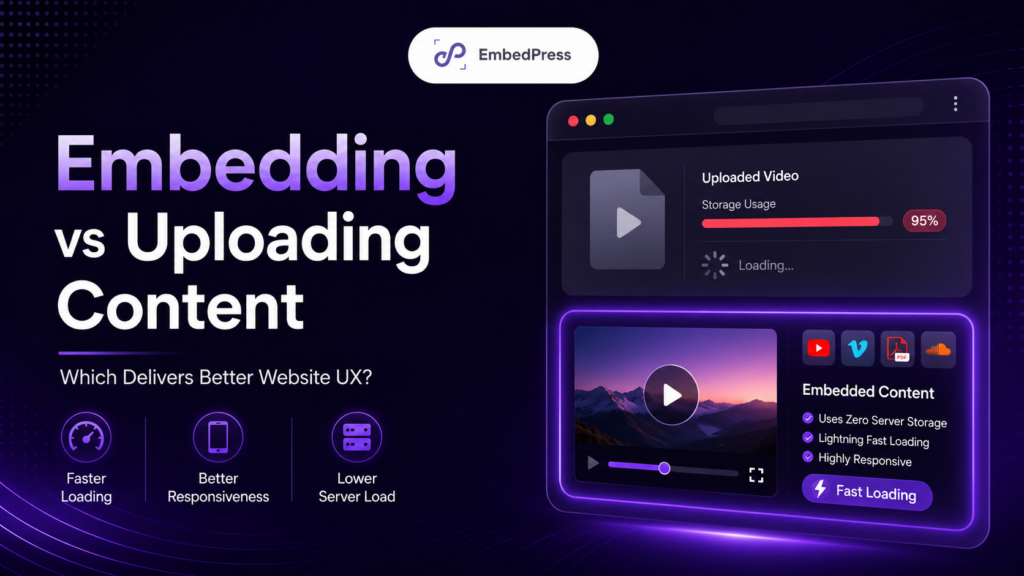
Why Static Content Is Failing: Using Interactive Content Marketing to Reduce Bounce Rates
Welcome to the modern web in 2026. The days of publishing a giant wall of plain text and expecting people to read it are officially over. If your website feels like a dull digital textbook, you are losing visitors rapidly. To survive this massive shift, you must embrace interactive content marketing.

Continue reading “Why Static Content Is Failing: Using Interactive Content Marketing to Reduce Bounce Rates”
DearFlip vs EmbedPress

DearFlip vs EmbedPress: Best Flipbook Plugins for WordPress in 2026
Offering a website visitor a plain, static PDF link in 2026 feels a little bit like handing them a floppy disk. If your goal is to showcase brochures, portfolios, magazines or reports, forcing users to download a bulky file or open it in another new browser tab is the fastest way to lose their attention. What you really need is a dedicated solution that keeps them glued to your page. 

Today, we are putting two heavyweights in the ring: DearFlip vs EmbedPress. If you are looking to avoid those old-school download links, it is time to explore the newest and most engaging solutions available.

Continue reading “DearFlip vs EmbedPress: Best Flipbook Plugins for WordPress in 2026”
Social Search SEO: How Reddit And YouTube Can Improve AI Visibility
Social Search SEO: How Reddit And YouTube Can Improve AI Visibility

You publish a solid blog post. You optimize the headline, add internal links… and then wait. But today, great content needs more than just on-page SEO. It needs distribution. That is where social search SEO comes in. Platforms like Reddit and YouTube act as powerful discovery channels, helping your content reach real people, spark conversations and build authority over time. In this guide, you will learn how to use these platforms to expand your reach, strengthen credibility and improve your overall search visibility with a smarter, more connected strategy.

Continue reading “Social Search SEO: How Reddit And YouTube Can Improve AI Visibility”
topic clusters

Topic Clusters for SEO: The Ultimate Strategy for Organic Growth in 2026

Ever post a blog and nobody sees it? It feels like you worked hard for nothing. You followed the SEO rules, but the page stays empty. It hurts to be ignored. If you feel like chasing keywords has not been doing the trick, you are not alone. Search engines no longer work like before. They now reward comprehensive authority on a topic instead of single-page keyword games. That is where topic clusters for SEO come in.

Continue reading “Topic Clusters for SEO: The Ultimate Strategy for Organic Growth in 2026”
content accessibility guidelines

Content Accessibility Guidelines in WordPress: Reduce Friction with EmbedPress

Someone clicks your page for one quick answer. But the document is cramped, links say “Read more,” and the embed feels like a tiny app inside your post. So they leave. That is content friction. The good news? A few simple content accessibility guidelines can fix a lot of it in WordPress.

Continue reading “Content Accessibility Guidelines in WordPress: Reduce Friction with EmbedPress”
video embeds for lead generation

Video Embeds for Lead Generation: 7 Best Practices That Actually Convert

Videos are everywhere – landing pages, product pages, resource hubs. You either upload it or embed it with your preferred method. But here is the frustrating part: plenty of those videos look amazing and still generate zero sign-ups. Views go up, time-on-page looks healthier and then the visitor disappears. If that is your reality, the fix is usually not making a better video. It could be setting up video embeds for lead generation with a clear conversion path.

Continue reading “Video Embeds for Lead Generation: 7 Best Practices That Actually Convert”
embed google docs in WordPress

How to Embed Google Docs in WordPress (Sheets, Forms & Calendar): The Complete 2026 Guide

If you are here, you are probably trying to embed Google Docs in WordPress (or a Sheet, Form or Calendar) and want it to look clean without breaking on any device.

Over 3 billion people use Google Workspace products every month, according to Google’s official statistics. Yet most WordPress users struggle to display their Google Docs, Sheets, Forms, and Calendars on their websites – often jumping between fragmented tutorials that only cover one product at a time.

Continue reading “How to Embed Google Docs in WordPress (Sheets, Forms & Calendar): The Complete 2026 Guide”
content experience

Content Experience Is the New SEO in 2026: What Marketers Must Do Next

In 2026, content experience might just be the new SEO. Surprised? Do not be! The rules of digital marketing are shifting fast. Marketers who spent years perfecting keyword density and backlinks are now facing a new reality: how your audience experiences your content can make or break your search rankings.

Continue reading “Content Experience Is the New SEO in 2026: What Marketers Must Do Next”
display Word Documents in WordPress

How to Display Word Documents in WordPress without Importing .Docx file?

Looking for a way to display Word Documents in WordPress without uploading the .docx file or messing up your formatting? You are not alone. Many WordPress users struggle to show Word documents on their sites seamlessly. The default approach – copying and pasting content or forcing visitors to download a file – can be clunky and time-consuming.

Continue reading “How to Display Word Documents in WordPress without Importing .Docx file?”
Horizontal Instagram Feed on WordPress

How to Display a Horizontal Instagram Feed on WordPress (Step-by-Step Guide)

Ever scroll down a website and spot a gorgeous row of Instagram photos seamlessly blending with the page? That is the magic of a horizontal Instagram feed on WordPress. It draws your eye, adds social proof and invites you to click through. But setting one up yourself? It might sound challenging if you are not a coder. Do not worry – by the time you finish this guide, you will have your Instagram photos proudly displayed in a sleek horizontal Instagram feed on WordPress sites, no coding needed. Let us begin.

Continue reading “How to Display a Horizontal Instagram Feed on WordPress (Step-by-Step Guide)”

Wait...

Leaving something behind?

  • 00Days
  • 00Hours
  • 00Mins
  • 00Secs

Unlock 250+ sources to supercharge spring content growth