Eight in 10 patients want to book appointments any time, from home or from their phone, according to Experian Health’s 2025 State of Patient Access survey. Salons, studios, and coaching clients behave the same way. If your site can’t take that booking at 11 p.m., someone else’s will. A booking plugin is still the cheapest way to fix that on WordPress, but in 2026, the question has changed. It is no longer only “which plugin has the best booking form?” It is also “Can my AI assistant run my bookings for me?”
Business owners now ask Claude, ChatGPT, or Cursor to handle admin work. A booking plugin with an MCP server (Model Context Protocol, the open standard that lets AI assistants use software tools) can answer directly: what’s booked tomorrow, is Ana free on Friday at 3, add this customer, create the yoga workshop for next month and register these three people. This guide compares the best WordPress booking plugins in 2026 with that shift in mind, alongside the questions that still decide most purchases: appointments vs events, payments, calendar sync, reminders, price and how deep the free version goes.
Install counts, ratings, and versions come from the WordPress.org Plugin API, and prices come from each vendor’s own pricing page, all checked on 8 October 2026. Where a plugin loses on a criterion, the tables say so, including for our top pick.
The six front-desk jobs we scored
A good receptionist does more than write names in a diary. We scored each plugin on the six jobs a booking system has to do for a service business, weighted by how much each one moves revenue and saves time:
| Front-desk job | Weight | A top score means… | Evidence we used |
|---|---|---|---|
| 1. Take any kind of booking | 25% | 1:1 appointments, group sessions, recurring classes and ticketed events from one system | Feature pages, readmes, demos |
| 2. Work with your AI | 20% | An MCP server your own assistant can use, ideally on the free plan, plus useful built-in AI | Docs, changelogs, Amelia Lite source code |
| 3. Get paid up front | 15% | Several gateways, deposits, WooCommerce checkout, refunds | Pricing pages and docs |
| 4. Keep the calendar full | 15% | Two-way calendar sync, SMS or WhatsApp reminders, Zoom/Meet links | Pricing pages and docs |
| 5. Cost less in year two | 15% | A usable free plan, honest renewals, no stack of paid add-ons or credits | Pricing pages, add-on lists |
| 6. Grow with your team | 10% | Staff and locations, white label, a mobile app, a long and healthy review record | WordPress.org API, Capterra, CodeCanyon, WooCommerce.com |
Each job was scored from 1 to 5 before the totals were added up. Missing information was treated as unverified, not as a fail. Ratings from different review sites are never averaged together, and each one is shown with its review count. To check the AI claims, we downloaded the free Amelia Lite 2.4.11 from WordPress.org and read its MCP code ourselves. For LatePoint and FluentBooking we relied on their own documentation and changelogs.
Quick summary: Which WordPress booking plugin should you use?
If you only have 30 seconds
Amelia is our top pick. It books appointments, classes and ticketed events in one plugin, and every plan, including the free one, ships an MCP server your AI assistant can use. It also has an AI website builder, white label and a mobile app.
LatePoint is the most generous free plugin: events, online payments and MCP at $0.
FluentBooking is a good Calendly-style meeting scheduler. Salon Booking System is the specialist for salons. Booking Calendar is the pick for rentals.
Prices, ratings and features were checked on the vendors’ sites and WordPress.org on 8 October 2026.
| # | Plugin | Sells best to | AI level | Cheapest paid plan | WordPress.org rating | On WordPress.org since | Last update |
|---|---|---|---|---|---|---|---|
| 1 | Amelia | Service businesses with staff, classes or events; agencies | 3 | $49/yr | 4.6★ (790 reviews), 90,000+ installs | 2018 | 24 Sep 2026 |
| 2 | LatePoint | Solo pros and small teams on a budget | 2 | $79/yr | 4.9★ (103), 100,000+ installs | 2025* | 5 Oct 2026 |
| 3 | Bookly | Salons and wellness that want chat booking | 1 | $39/yr | 4.4★ (583), 60,000+ installs | 2014 | 6 Oct 2026 |
| 4 | FluentBooking | Consultants and sales teams | 2 | $63/yr | 4.7★ (46), 20,000+ installs | 2024 | 24 Sep 2026 |
| 5 | Salon Booking System | Hair salons, barbers, spas | 1 | €89/yr | 4.4★ (187), 2,000+ installs | 2015 | 3 Oct 2026 |
| 6 | BookingPress | Owners who want a big add-on bundle | 0 | $89/yr | Removed in Feb 2025 (Capterra 4.5★, 72) | – | 20 Aug 2026 (Pro) |
| 7 | Booknetic | Branded booking platforms | 0 | $45/yr | Not listed (CodeCanyon 4.91★, 471) | – | 23 Sep 2026 |
| 8 | Simply Schedule Appointments | Simple free scheduling | 0 | $99 first year | 5.0★ (155), 50,000+ installs | 2018 | 23 Sep 2026 |
| 9 | WooCommerce Bookings | Rentals and tours in WooCommerce | 0 | $249/yr | Not listed (WooCommerce.com 2.7★, 60) | – | v3.11.0 |
| 10 | Booking Calendar | Rentals and date ranges | 0 | $79 one time | 4.8★ (657), 40,000+ installs | 2009 | 3 Oct 2026 |
*LatePoint’s current WordPress.org listing dates from January 2025. Data from the WordPress.org Plugin API and vendor sites, 8 October 2026.
How each plugin scored on the six jobs
| Plugin | Take bookings (25%) | Work with AI (20%) | Get paid (15%) | Keep calendar full (15%) | Year-two cost (15%) | Grow (10%) | Total /5 |
|---|---|---|---|---|---|---|---|
| Amelia | ●●●●● | ●●●●● | ●●●●● | ●●●●● | ●●●●○ | ●●●●● | 4.85 |
| LatePoint | ●●●●○ | ●●●●● | ●●●●○ | ●●●●○ | ●●●●● | ●●●○○ | 4.25 |
| Bookly | ●●●●○ | ●●●○○ | ●●●●○ | ●●●●○ | ●●○○○ | ●●●●○ | 3.50 |
| FluentBooking | ●●●○○ | ●●●●○ | ●●●○○ | ●●●●○ | ●●●●○ | ●●○○○ | 3.40 |
| Salon Booking System | ●●●○○ | ●●●○○ | ●●●●○ | ●●●●○ | ●●●○○ | ●●●○○ | 3.30 |
| BookingPress | ●●●●○ | ●○○○○ | ●●●●● | ●●●●○ | ●●●○○ | ●●○○○ | 3.20 |
| Booknetic | ●●●○○ | ●●○○○ | ●●●●○ | ●●●●○ | ●●○○○ | ●●●●● | 3.15 |
| Simply Schedule Appointments | ●●●○○ | ●○○○○ | ●●○○○ | ●●●●○ | ●●●●○ | ●●○○○ | 2.65 |
| WooCommerce Bookings | ●●●●○ | ●●○○○ | ●●●○○ | ●●○○○ | ●○○○○ | ●●○○○ | 2.50 |
| Booking Calendar | ●●●○○ | ●○○○○ | ●●●○○ | ●●○○○ | ●●●●○ | ●●○○○ | 2.50 |
Ties are broken by job 1, then job 2. A plugin’s rank says how well it covers all six jobs for a typical service business. It does not say it is the best fit for every reader, so check the decision guide above too.
Why service businesses need a WordPress booking plugin
Without a booking system, every appointment is a back-and-forth: a DM, a phone call, a “does Tuesday work?” email. A booking plugin turns your WordPress site into a front desk that never closes. Clients see real availability, pick a time, pay or leave a deposit, and get reminders automatically. You keep the data on your own site instead of renting it from a marketplace.
Why this matters more in 2026:
- Clients book outside business hours. Experian Health found 80% of patients want to schedule from home or a mobile device whenever it suits them. Only a self-service booking form can meet that demand without staff.
- Reminders protect revenue. A Cochrane systematic review of seven studies found attendance rose from 67.8% with no reminder to 78.6% with text reminders. Every plugin on this list sends email reminders; SMS and WhatsApp are where they differ.
- No-shows are rising again. In an MGMA Stat poll from August 2026, 32% of medical groups reported higher no-show rates than in 2025. Deposits and automatic reminders are the two tools a plugin gives you to fight that.
- WordPress is where the site already lives. WordPress runs 40.1% of all websites, according to W3Techs (October 2026). A native plugin keeps bookings, payments and client data on that same site.
Start here: three questions that narrow the list
Most “best booking plugin” lists make you read all ten reviews to find the two that fit. You can skip most of that. The way you sell decides more than any feature list, so answer these three questions first.
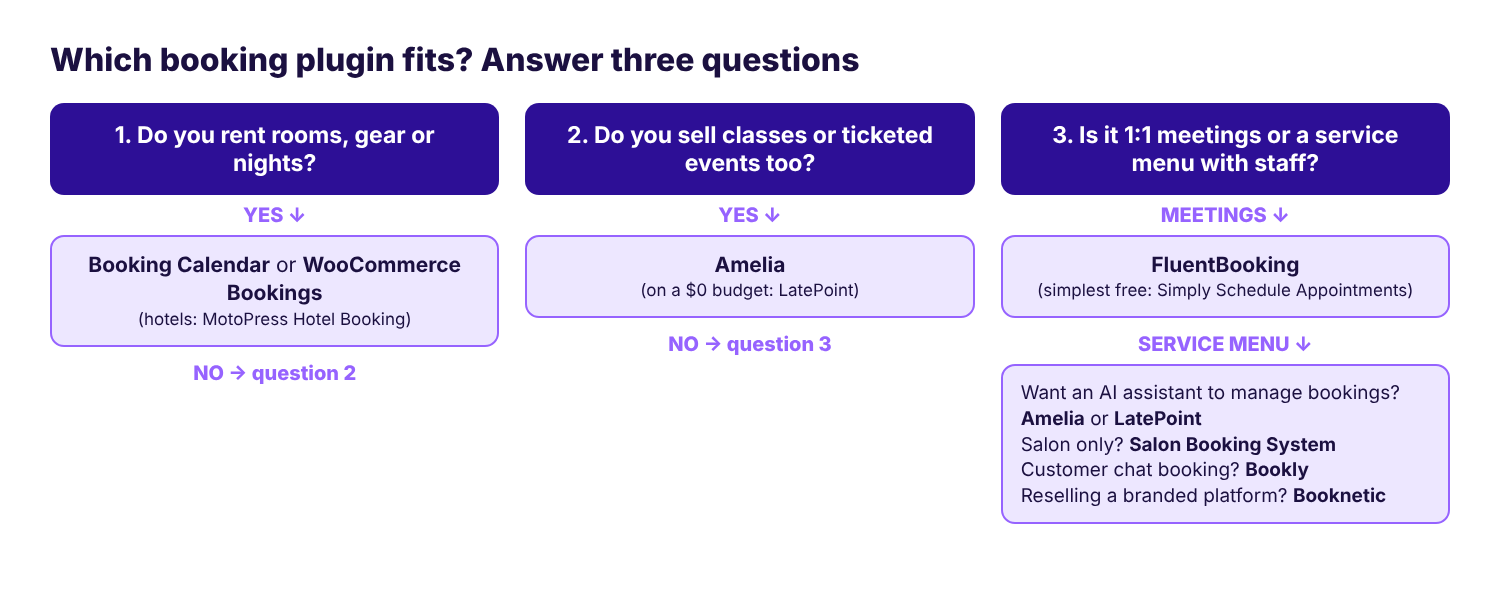
If you landed on a service menu with staff (salons, clinics, studios, tutors, trainers), you are in the most crowded part of the market. That is where the AI question below makes the biggest difference.
The new question: how much can your AI do?
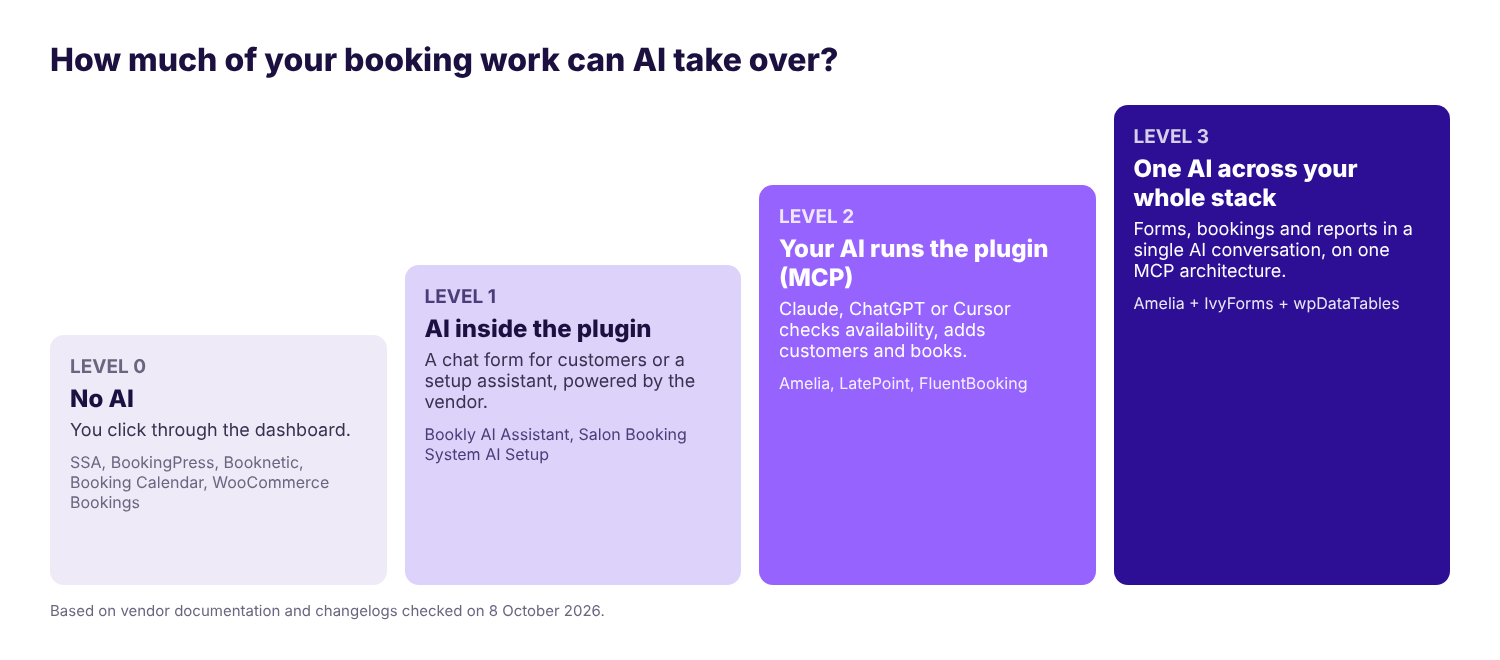
“AI booking” means very different things depending on the plugin. Some vendors put a chatbot on your booking page. Others let your own assistant, such as Claude, ChatGPT or Cursor, operate the plugin for you. We sorted every plugin on this list into four levels.
The 10 best WordPress booking plugins in 2026, reviewed
1. Amelia: best AI-ready booking plugin for appointments and events
Hand the admin work to your AI assistant (MCP)
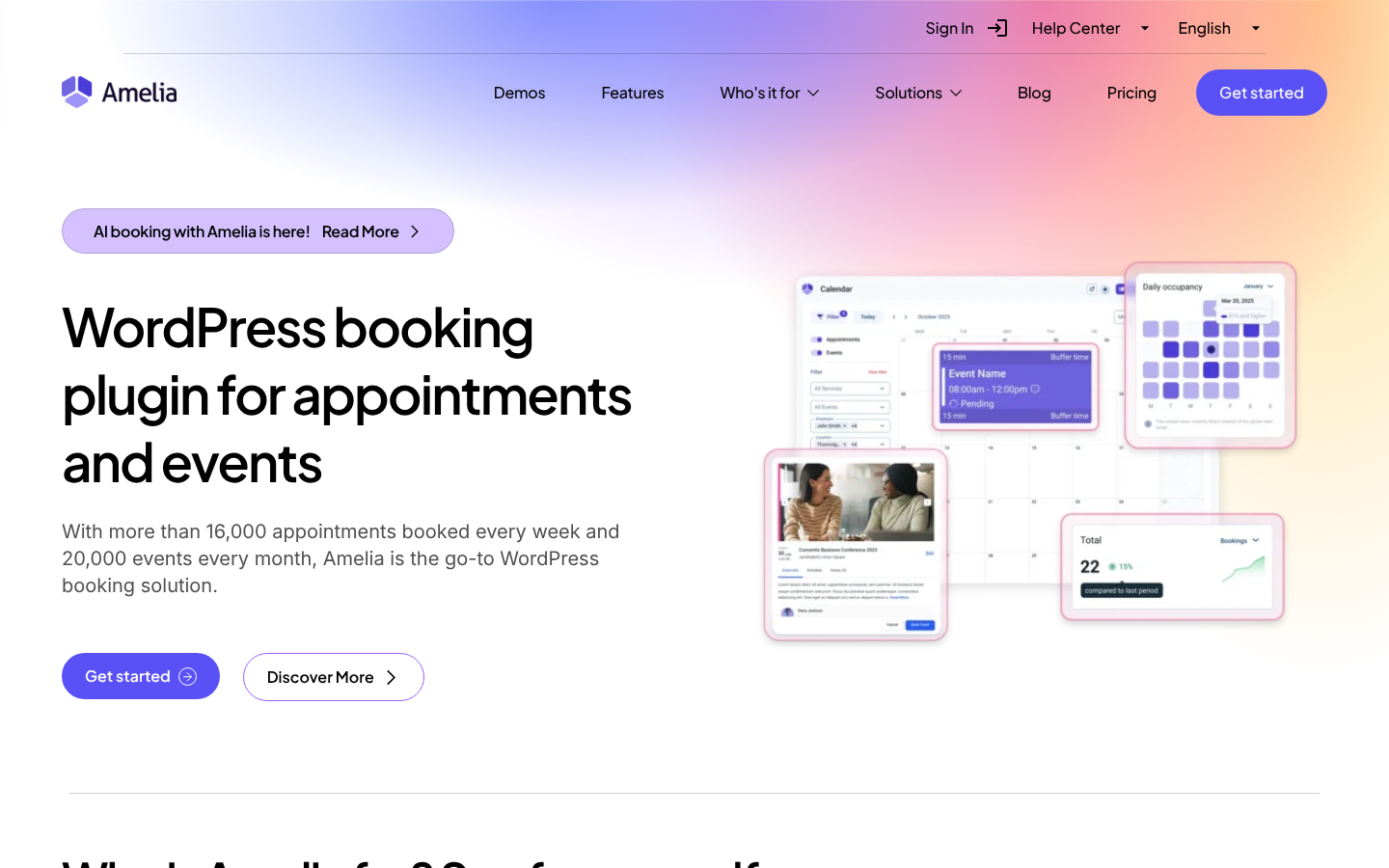
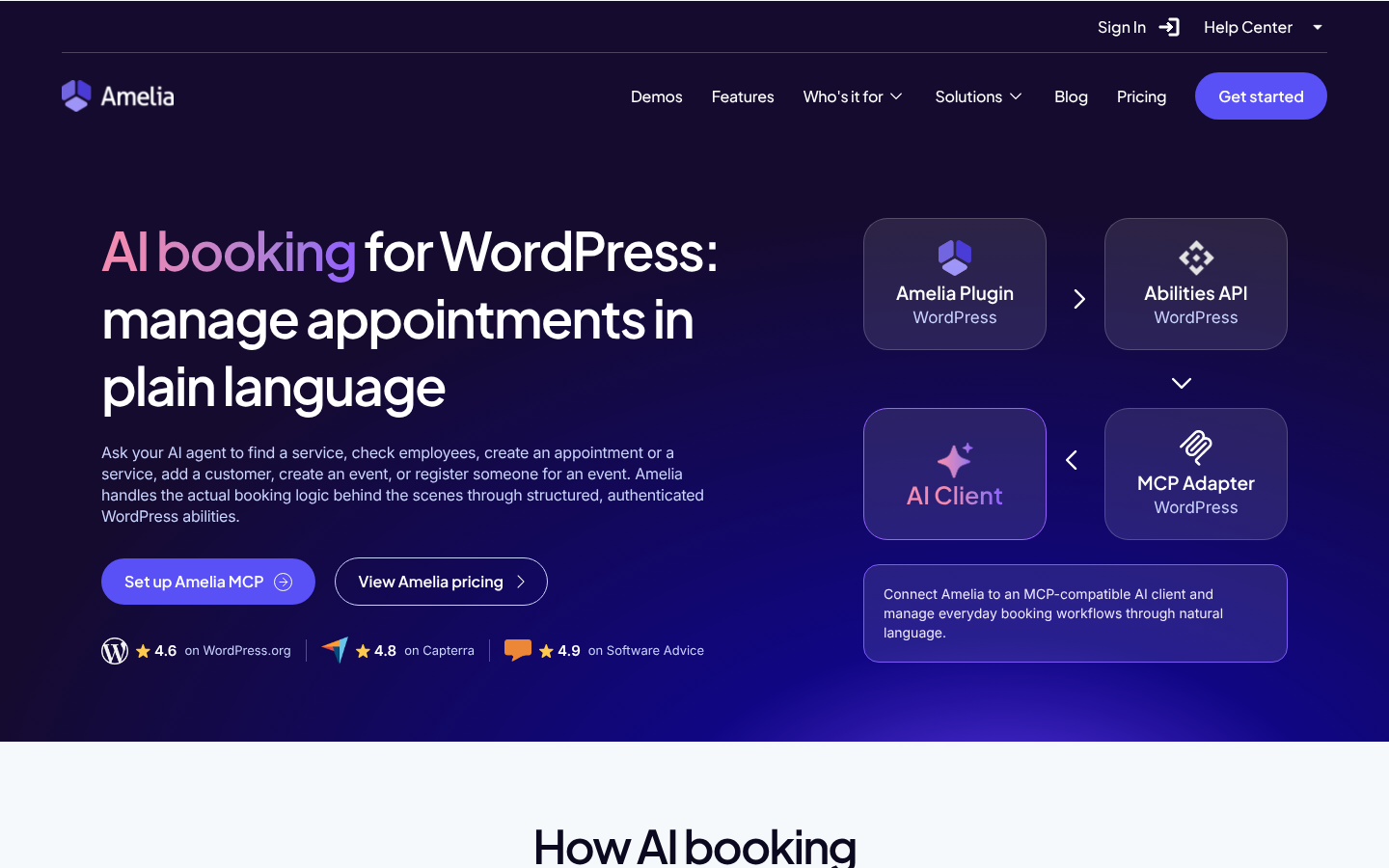
Amelia’s MCP integration lets Claude, ChatGPT, Cursor or any other MCP client work with your bookings in plain language. It is built on the WordPress Abilities API and the official MCP Adapter. Amelia’s MCP connection guide says it is available in every license plan and works out of the box, and it has been in the free Amelia Lite on WordPress.org since version 2.4. Of the three booking plugins with MCP, Amelia is the only one that bundles the adapter inside the plugin, so you don’t install a second plugin.
We didn’t want to take the marketing page’s word for it, so we opened the free plugin’s code. Amelia Lite 2.4.11 registers an MCP server called amelia-mcp-server with 12 abilities, and it ships the WordPress abilities-api and mcp-adapter packages in its vendor folder:
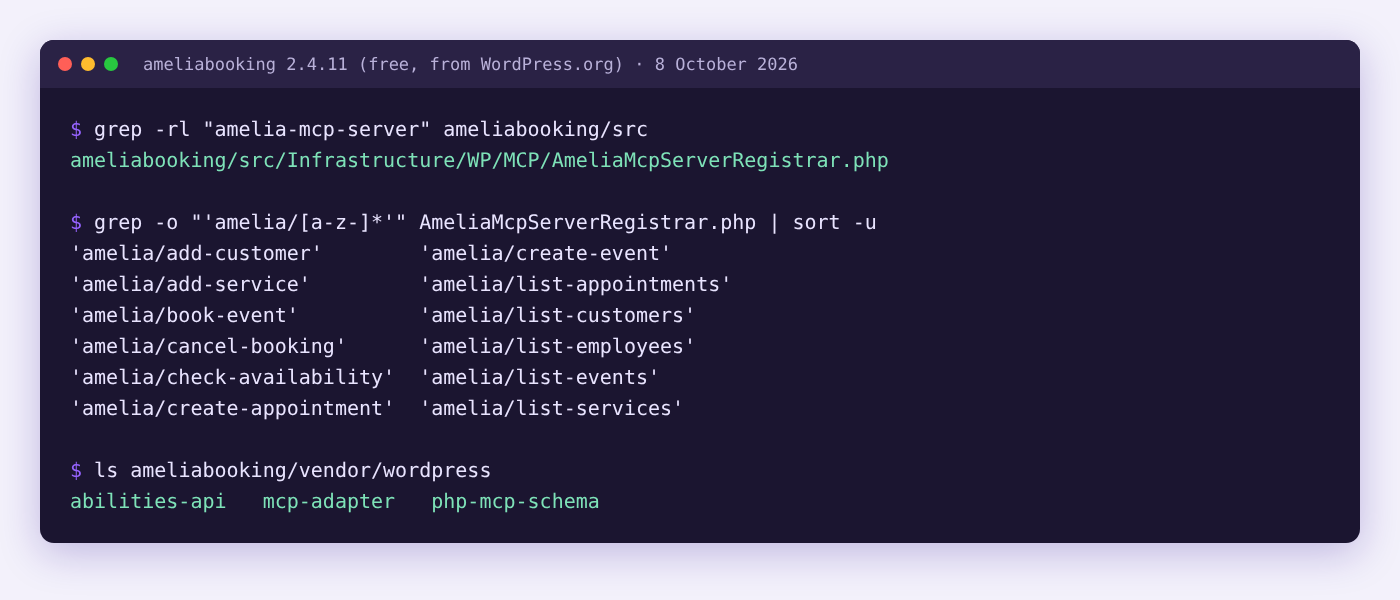
What does that look like in a working week? Here is how a three-person massage studio could use those 12 abilities, one request a day:
| Day | What you type to your AI assistant | Amelia abilities it uses |
|---|---|---|
| Monday | “Show me this week’s appointments, grouped by therapist.” | list-appointments, list-employees |
| Tuesday | “A new client, Jelena Petrović, called. Add her and book a 60-minute deep-tissue massage with Marko on Thursday at 10.” | add-customer, check-availability, create-appointment |
| Wednesday | “We’re launching a hot-stone massage, 90 minutes, €85. Add it to the menu.” | add-service, list-employees |
| Thursday | “Set up a Saturday self-massage workshop for 10 people at €35, and register these three regulars.” | create-event, book-event, list-customers |
| Friday | “Ana is sick. Cancel her 4 p.m. and tell me who else is free then.” | cancel-booking, check-availability |
Example requests mapped to the abilities registered in Amelia Lite 2.4.11. Your AI can only do what the connected WordPress user is allowed to do.
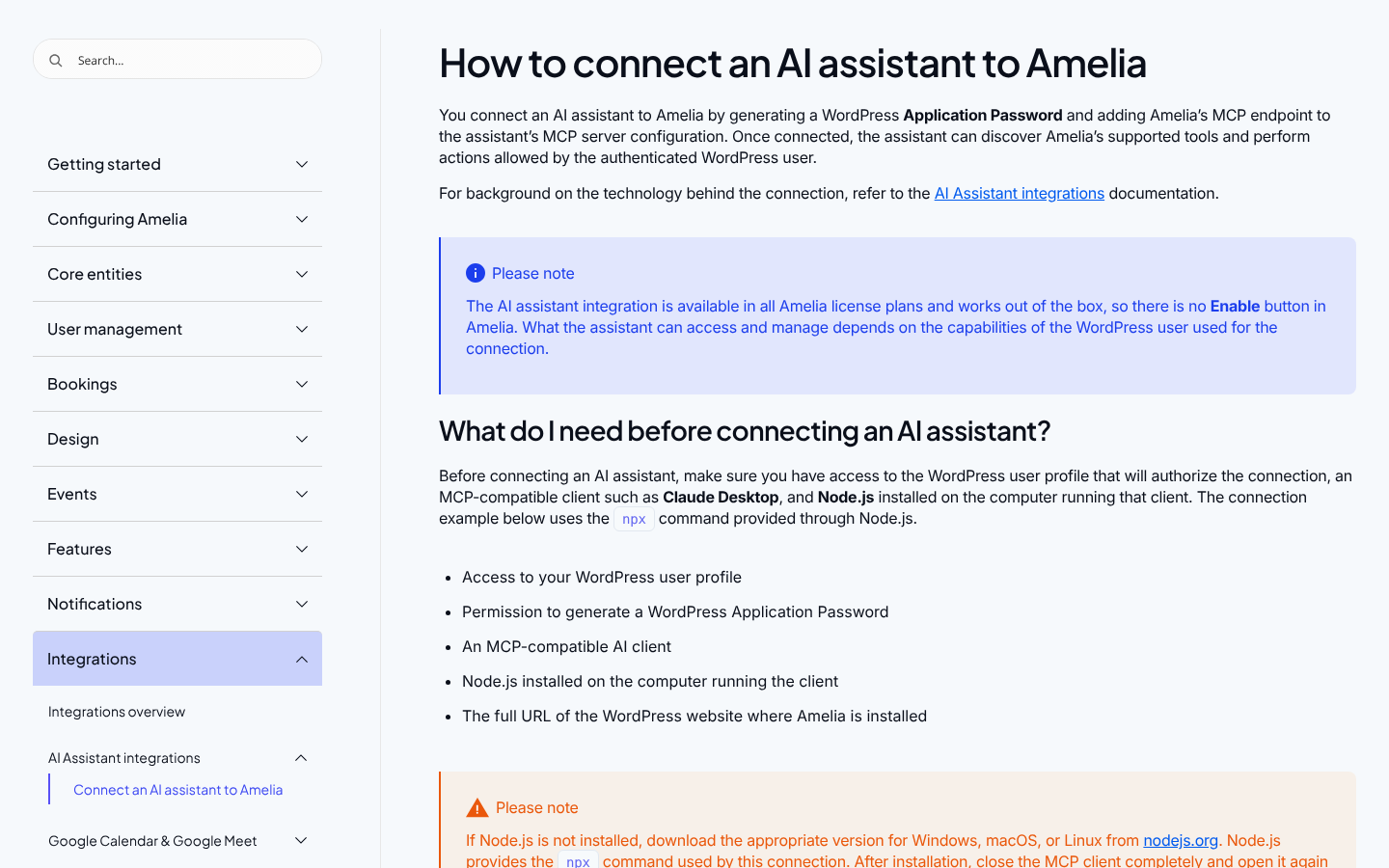
Connecting it takes a few minutes. Create a WordPress Application Password, add your site’s amelia-mcp-server endpoint to your MCP client, and start with a read-only question. If you build with Elementor, Amelia also works with Elementor’s Angie AI agent on every plan, including Lite.
Where Amelia’s AI stops today
The MCP abilities can create and cancel bookings, but they can’t reschedule or edit an existing one yet, so moving an appointment still happens in the dashboard. Amelia’s AI booking has no chatbot on the customer side: clients book through the normal booking form, and the AI works for you, not for them.
Launch a booking website from one prompt (AI website builder)
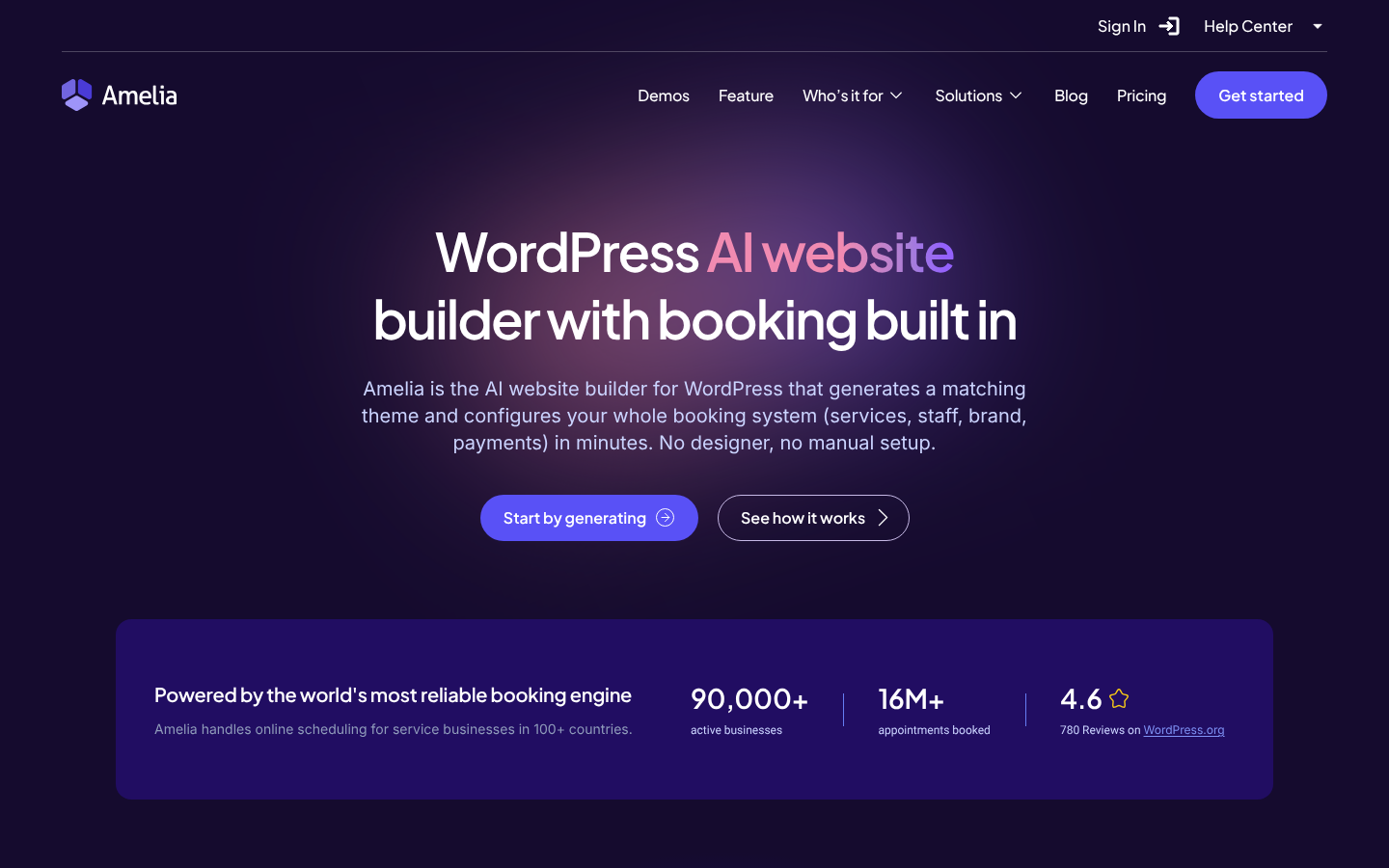
If there’s no website yet, Amelia’s AI website builder skips most of the setup. You describe the business: industry, name, tagline, brand colours and, if you like, your services. It generates a matching WordPress theme and pre-fills Amelia with your services, staff and branding, ready to review and publish.
The price is a one-time €2.99, the free Amelia plan is included, and everything is installed on your own WordPress site, not a hosted builder you rent each month.
One calendar for appointments, classes and events
This is still why most businesses choose Amelia. On the appointment side you get service packages, extras, buffer times, resources and per-person pricing. On the event side you get recurring events, ticket types, waiting lists and QR-code tickets, all in the same plugin and the same customer record. A physiotherapy clinic can book assessments and sell places in a Saturday back-care class without a second tool.
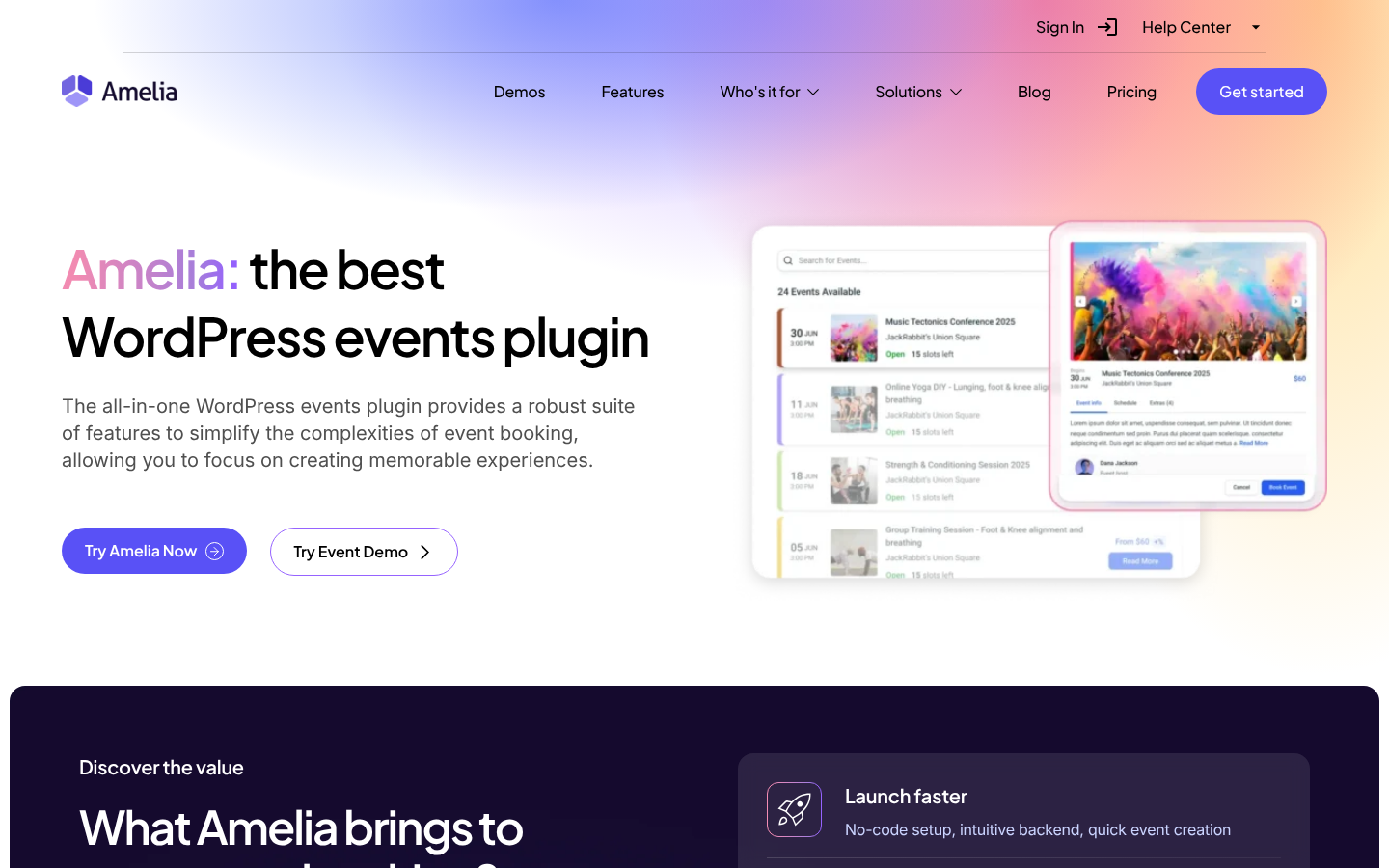
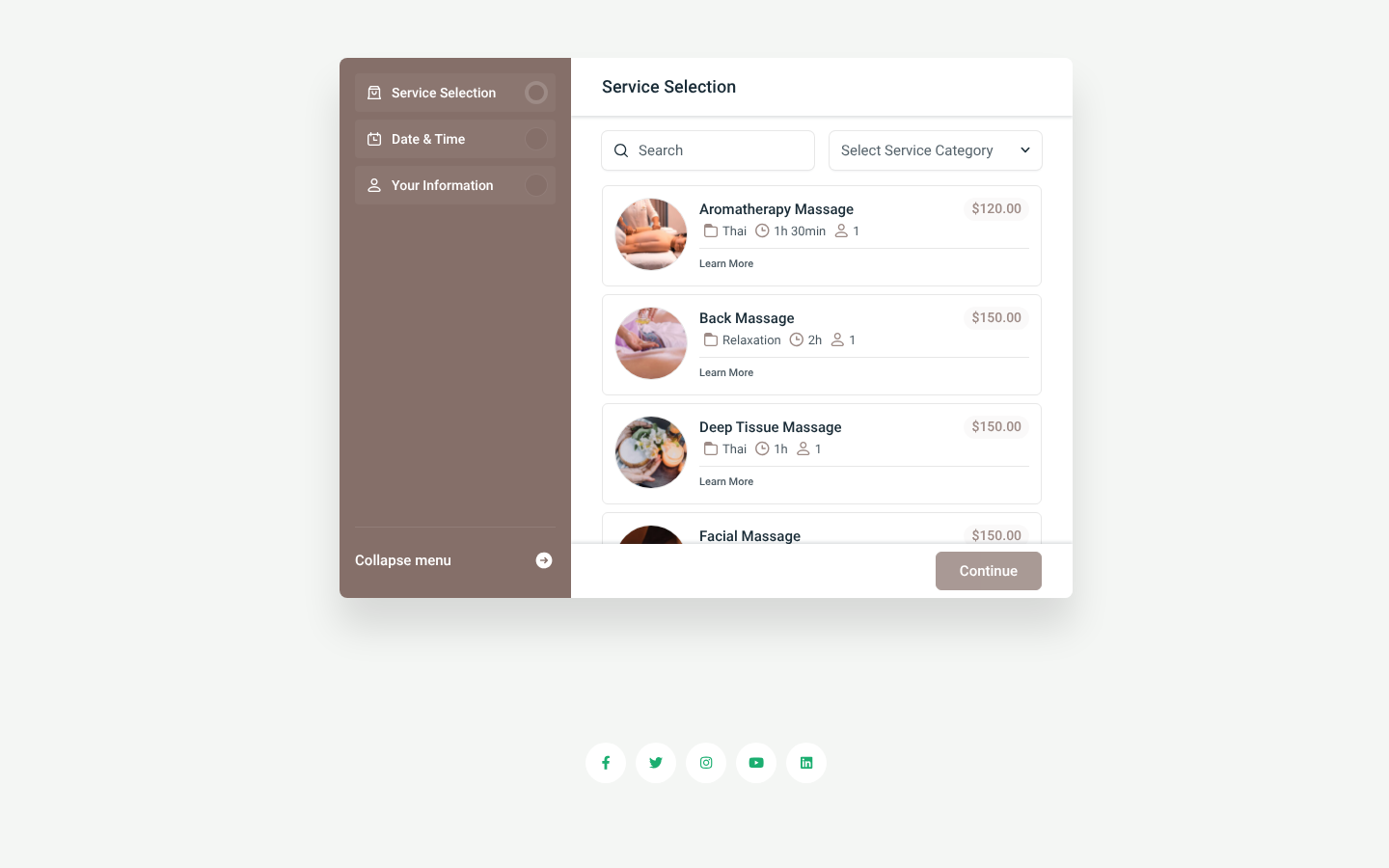
From the Standard plan up, clients can pay by Stripe, PayPal, Mollie, Razorpay or WooCommerce checkout, with deposits, taxes and invoices included. Google Calendar and Outlook sync both ways since version 9.9 (September 2026), Apple Calendar syncs one way, and Zoom, Google Meet or Teams links are created for each booking. WhatsApp notifications come with Pro.
“Amelia saves more than 3 hours a day.” — Didier Lopes, co-founder, Ballaë Institute
Rebrand it and run it from your phone (white label and mobile app)
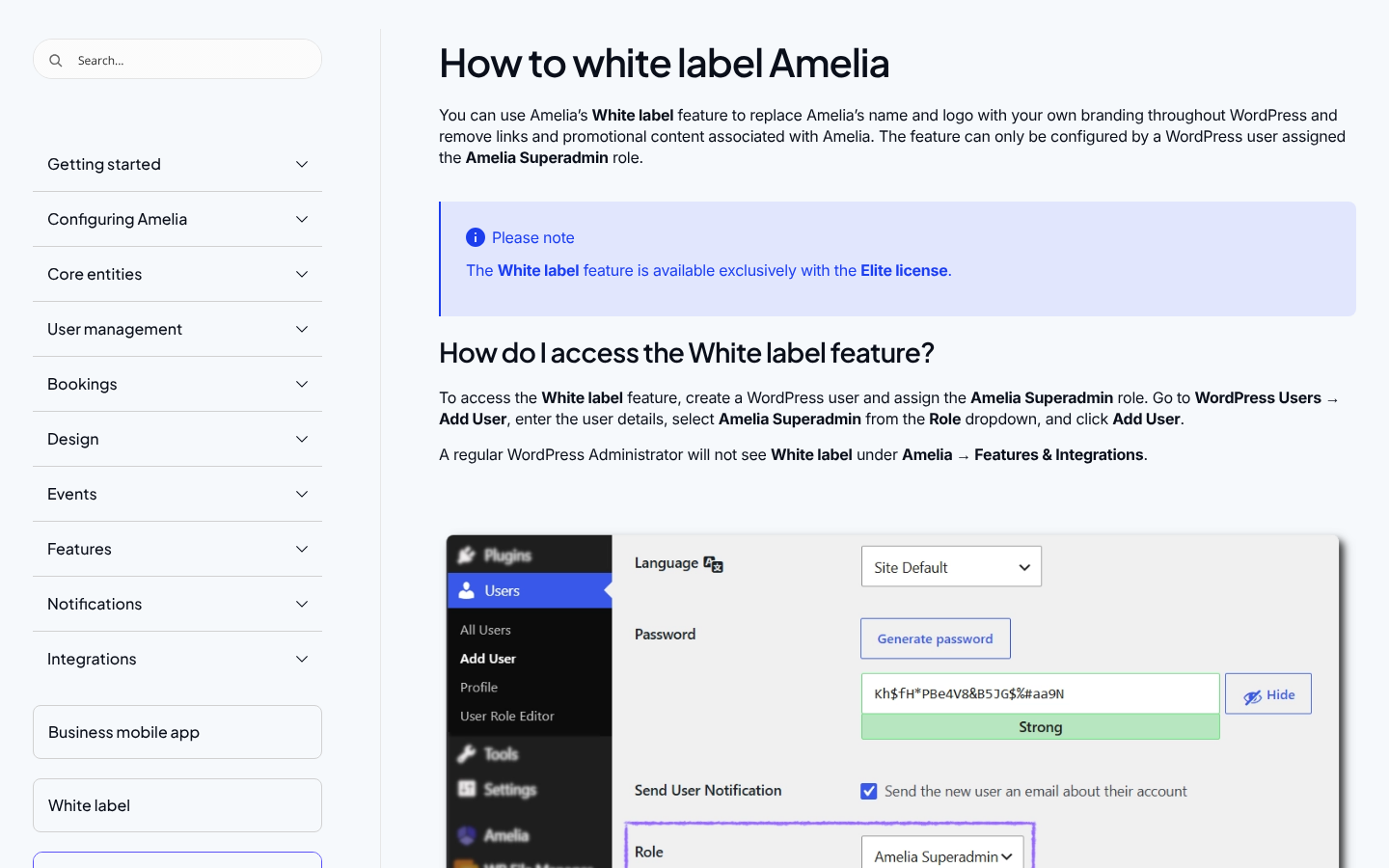
Agencies get two Elite-plan features that arrived this summer. White label (version 9.8, August 2026) swaps the Amelia name and logo for yours, hides Amelia’s links, banners and help docs, and renames the Gutenberg, Elementor and Divi blocks. Clients see your product, and a single “Amelia Superadmin” user keeps access to the original view.
Setup is covered in the white label guide.
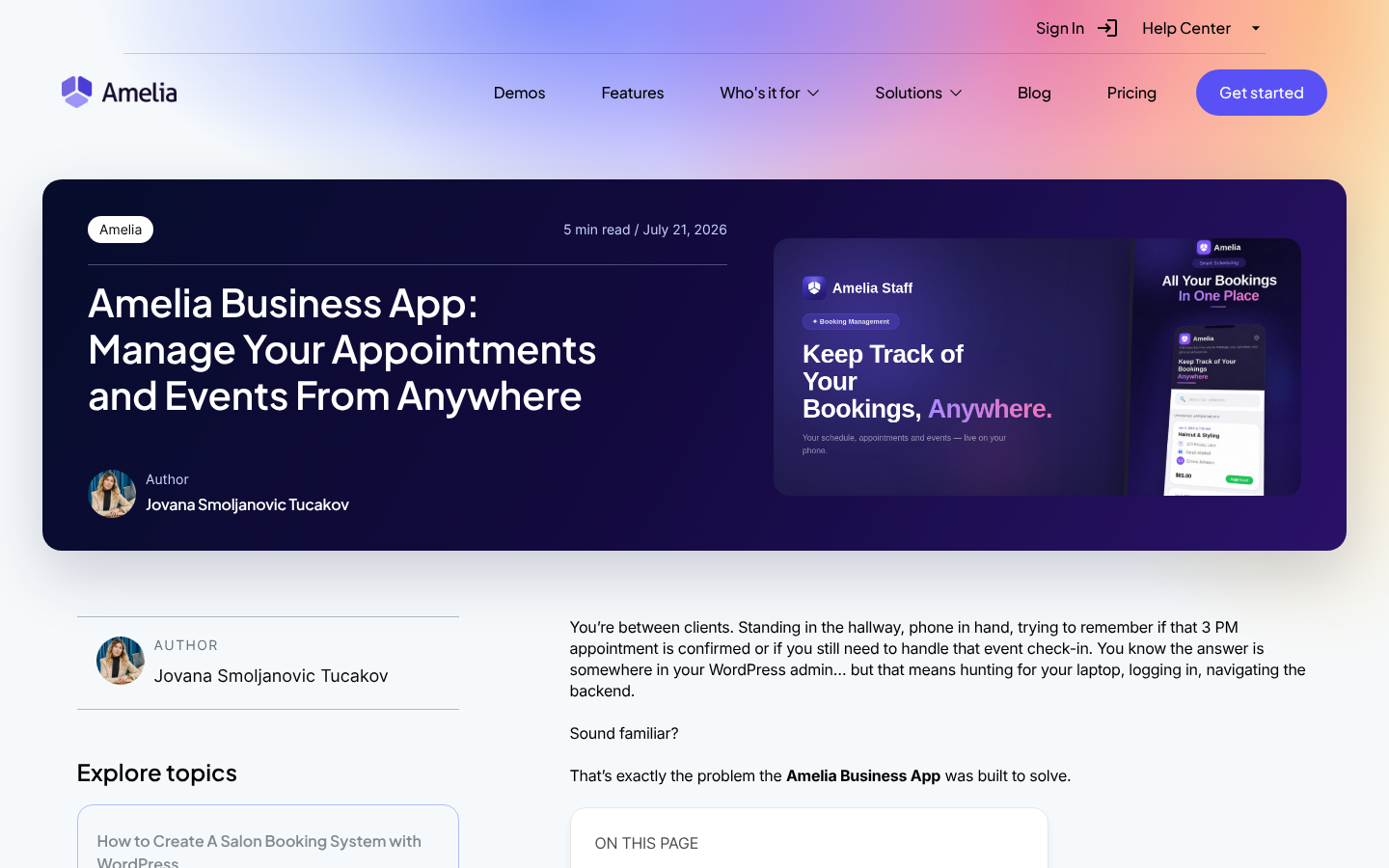
The Amelia Business app for iOS and Android (July 2026) is for owners and staff. You can see the day’s appointments and events, change booking statuses, scan event tickets at the door and open the Zoom or Meet link. Employees also get a push notification for each new booking. It’s an early release: you can’t create or edit bookings in the app yet, and it isn’t a booking app for customers.
What each Amelia plan unlocks
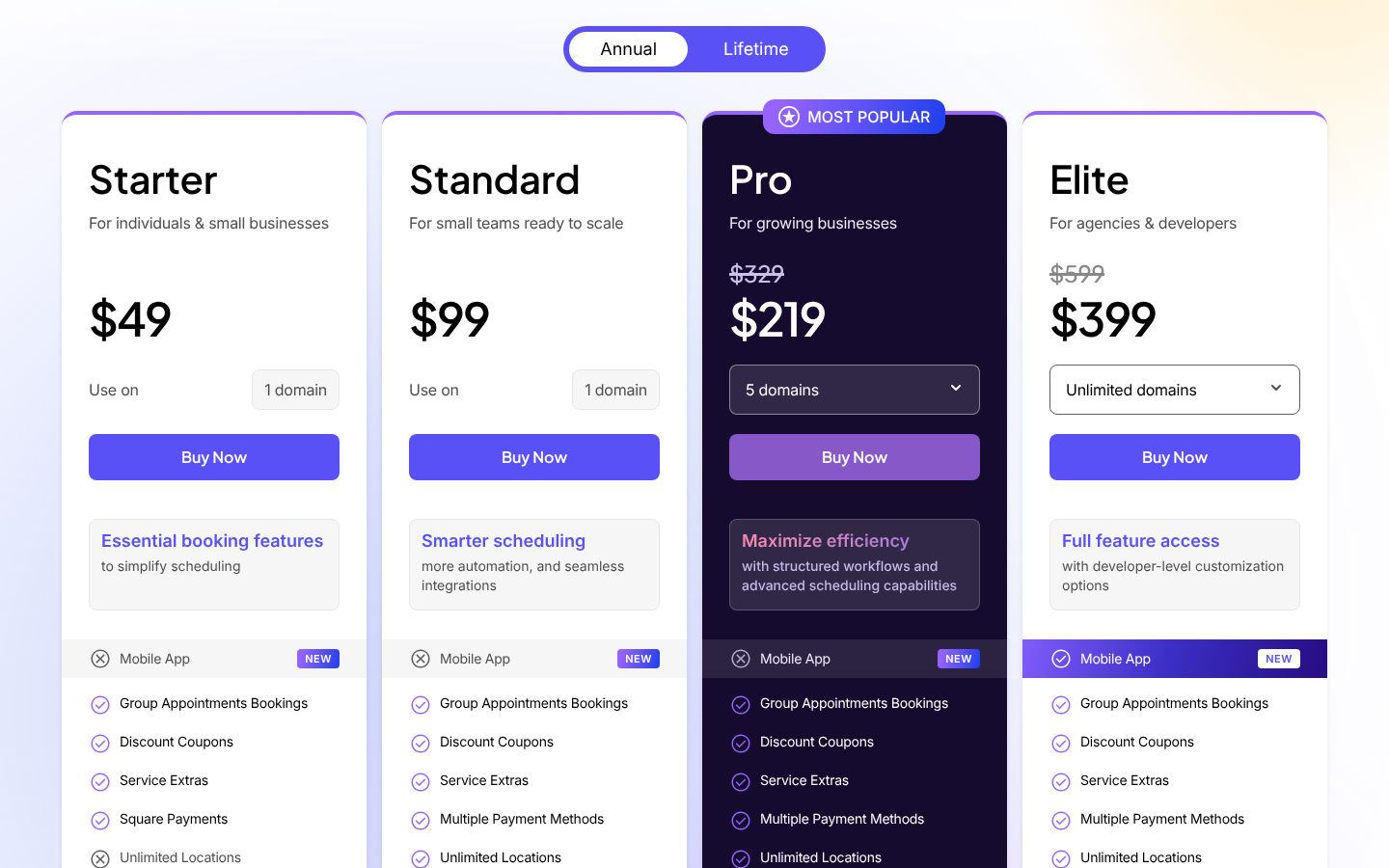
| If you need… | Lowest Amelia plan | Price (8 Oct 2026) |
|---|---|---|
| Appointments, events and an MCP server for your AI | Lite (free) | $0 |
| Group bookings, coupons, extras, customer and employee panels | Starter | $49/yr, 1 site |
| Calendar sync, Zoom/Meet/Teams, Stripe/PayPal/WooCommerce, deposits, recurring bookings, event tickets | Standard | $99/yr, 1 site |
| Packages, cart, resources, waiting lists, WhatsApp, refunds | Pro | $219/yr for 5 sites (regular $329) |
| White label, mobile app, REST API, unlimited sites | Elite | $399/yr (regular $599) |
| A generated booking website with Amelia pre-filled | AI website builder | €2.99 one time |
Pro and Elite prices were part of an “up to 40% off” first-year sale on the day we checked. Lifetime licences start at $249. 15-day money-back guarantee.
| Pick Amelia if… | Skip it if… |
|---|---|
| You sell appointments and classes or events, and want one system | You only need a free 1:1 scheduler; LatePoint or SSA costs less |
| You want Claude or ChatGPT to handle routine booking admin, even on the free plan | You need an AI chatbot that books for customers; that’s Bookly’s approach |
| You run client sites and want white label, unlimited sites and an app (Elite) | You need several employees on one appointment, which Amelia doesn’t support |
| You care about owning your data on your own WordPress site | You need weekend or live-chat support; Amelia’s support works on weekdays |
Verdict: the most complete front desk on WordPress in 2026, and the only booking plugin here that reaches level 3 on AI. For a solo practitioner, compare it with LatePoint before buying. For anyone selling more than one kind of booking, Amelia is the one to beat.
Tables. Forms. Bookings. All talking to your AI.
A booking rarely stands alone. Before it there’s a form (an intake questionnaire, a waiver, a quote request). After it there’s data you want to understand: revenue by service, no-shows by month, which therapist is fully booked. Amelia belongs to a group of WordPress plugins from Melograno that now share one MCP architecture. Three tools, one AI conversation. Collect with IvyForms, book with Amelia, analyze with wpDataTables: the entire flow is finally connected.
| Role | What your AI assistant can do | |
|---|---|---|
| 📋 IvyForms | Collect and manage | Create forms, manage fields, review entries and notifications, all through your AI assistant |
| 📅 Amelia | Book and schedule | Create appointments, manage services and employees, handle customer data and create events |
| 📊 wpDataTables | Analyze and visualize | Build tables from your data, create charts, run queries and export, all from a single AI instruction |
In practice, one chat with Claude could create a new-client intake form, book that client’s first massage, and chart this month’s bookings by service, without opening three dashboards. The IvyForms MCP server and wpDataTables MCP connect the same way Amelia does: through the WordPress Abilities API and an Application Password, on WordPress 6.9 or newer.
2. LatePoint: the free plugin that already speaks MCP
| Paid plans from | Free plan | AI level | Ratings |
|---|---|---|---|
| $79/yr (lifetime from $199) | Yes, generous | 2: MCP in free and Pro | 4.9★ WordPress.org (103) · 100,000+ installs |
If budget is the deciding factor, start with LatePoint. Its free plugin includes things competitors charge for: unlimited appointments, events with capacity and pricing, Stripe, PayPal and Razorpay payments, and a customer dashboard. Since version 5.6.8 (July 2026) it also has an MCP server. LatePoint’s MCP guide has three separate toggles for read, edit and delete abilities, which is a sensible way to give an AI limited permissions to start with.
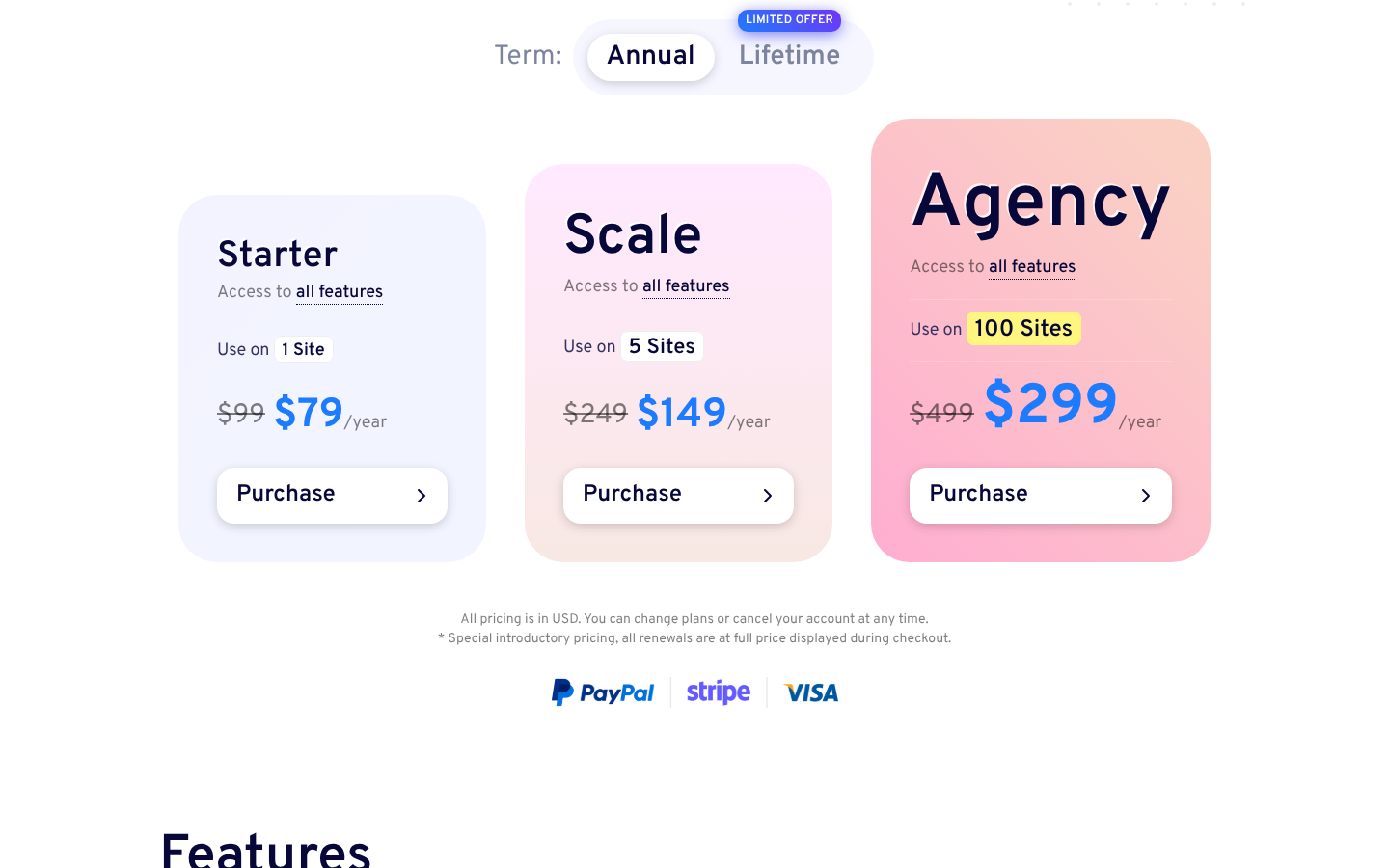
Paid plans are just as simple. Every plan includes every feature, so the only thing that changes is the number of sites: Starter $79/yr for 1 site, Scale $149/yr for 5, Agency $299/yr for 100. Those are introductory prices, and renewals are charged at full price ($99, $249, $499). Lifetime licences cost $199 to $599.
| Pick LatePoint if… | Skip it if… |
|---|---|
| You want MCP, events and online payments for $0 | You need Google Calendar sync or several staff members for free (both are Pro) |
| You like plans with no add-ons | You want a native mobile app |
| You’re a solo pro or a small team | You want MCP without installing the separate MCP Adapter plugin |
Verdict: the strongest free start in 2026. One caveat on trust signals: there are only 103 WordPress.org reviews so far, and Trustpilot currently withholds LatePoint’s score for “displaying Trustpilot content in a misleading way.”
3. Bookly: AI that talks to your customers, not to you
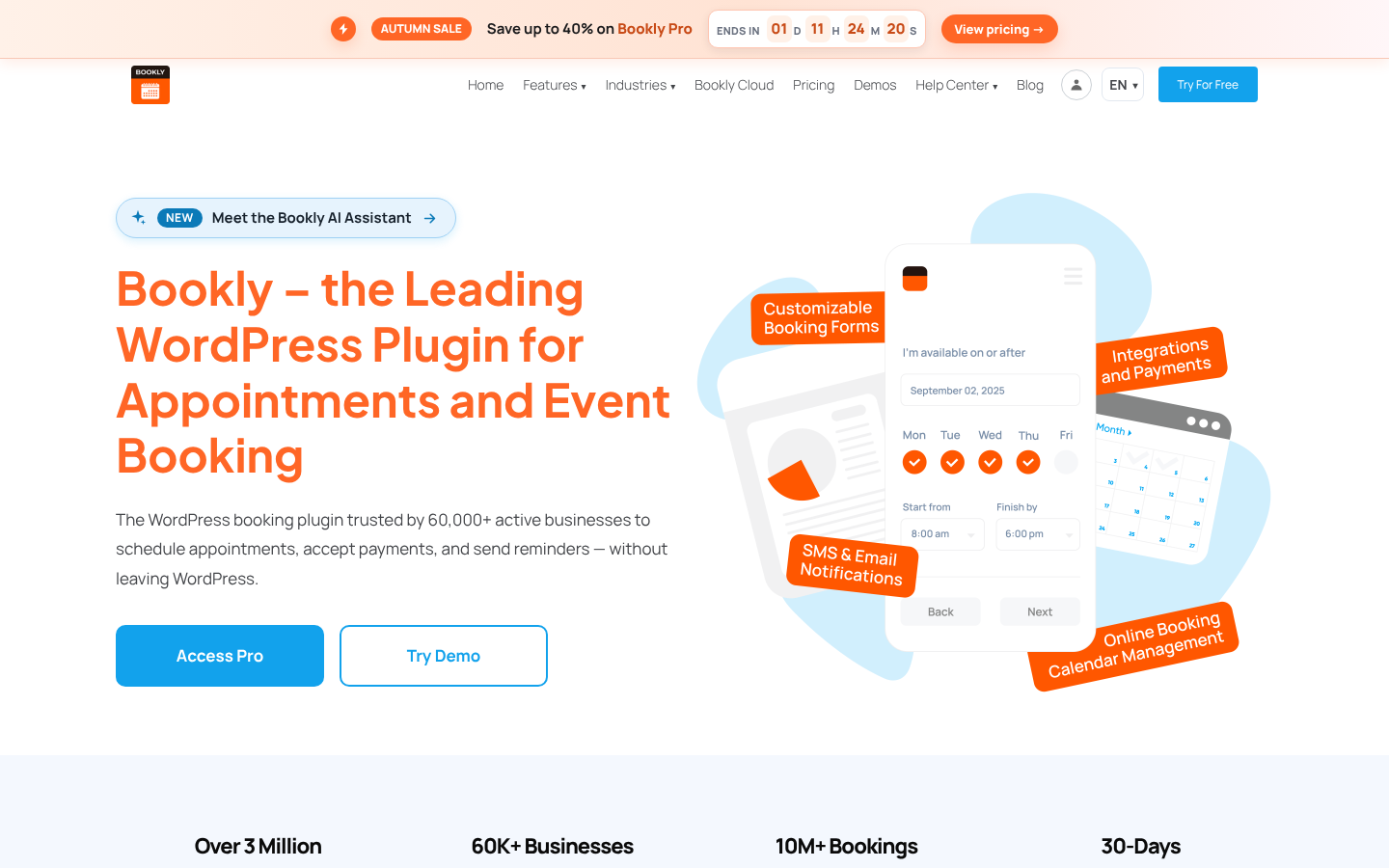
Bookly bet on the other side of AI. Version 28.1 added the AI Assistant, a chat widget on your booking page where customers describe what they want, see live availability, add extras and book. Payments in the chat came in 28.3. It runs on Bookly Cloud, Bookly’s prepaid credit service, and is free “during the launch period”. For the business owner’s side, we found no MCP server or public REST API.
Bookly has been on WordPress.org since 2014 and has 60,000+ active installs and 4.4 stars from 583 reviews. Its pricing is the hardest on this list to work out in advance, so here is the arithmetic:
- The free version allows up to five services and takes no online payments.
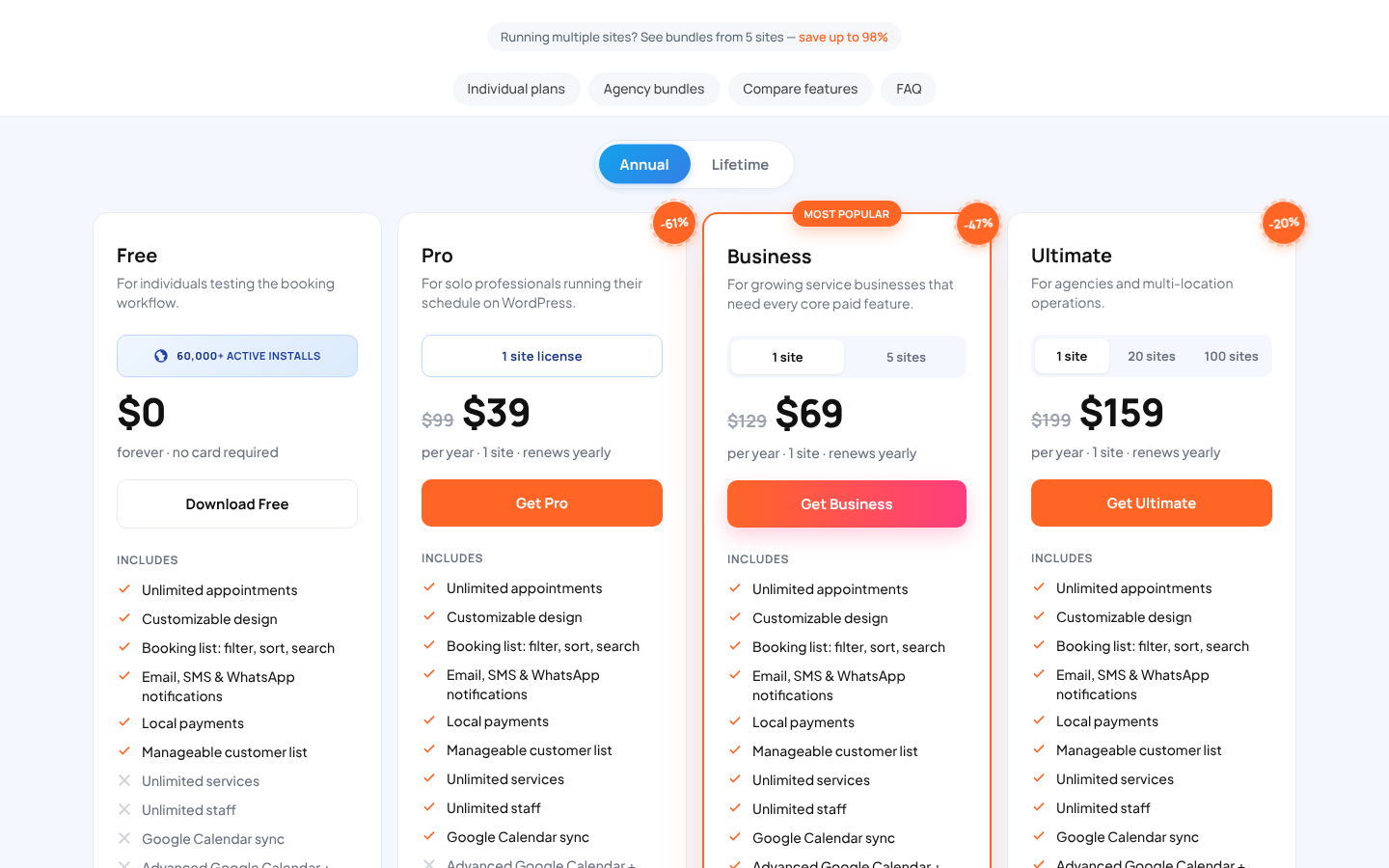
- Plans are add-on bundles: Pro $39/yr (regular $99), Business $69/yr for one site (regular $129), Ultimate $159/yr (regular $199). Stripe, deposits and two-way Google sync start at Business.
- 46 add-ons are also sold one by one, at $9.95–$18.95 a year each. Bought separately, they add up to $526.70 a year.
- SMS, WhatsApp, the staff mobile app and the AI Assistant use Bookly Cloud credits on top of your plan.
Verdict: a good fit if you want customers to book by chatting and don’t mind costs that grow with add-ons and Cloud credits. The most common complaint in 1-star reviews is paying for Pro and then finding that key features cost extra. The Amelia vs Bookly comparison goes through events and pricing side by side.
4. FluentBooking: Calendly on your own server, now with MCP
A consultant who needs discovery calls doesn’t need a service menu with staff and resources. They need the Calendly experience, and FluentBooking recreates it inside WordPress: one-on-one, group, round-robin and collective meetings, plus the FluentCRM and Fluent Forms integrations from the same company. Version 2.4.0 (September 2026) added an MCP server with 14 tools. The Payments tools need Pro, and anything destructive asks for a preview and your confirmation first.
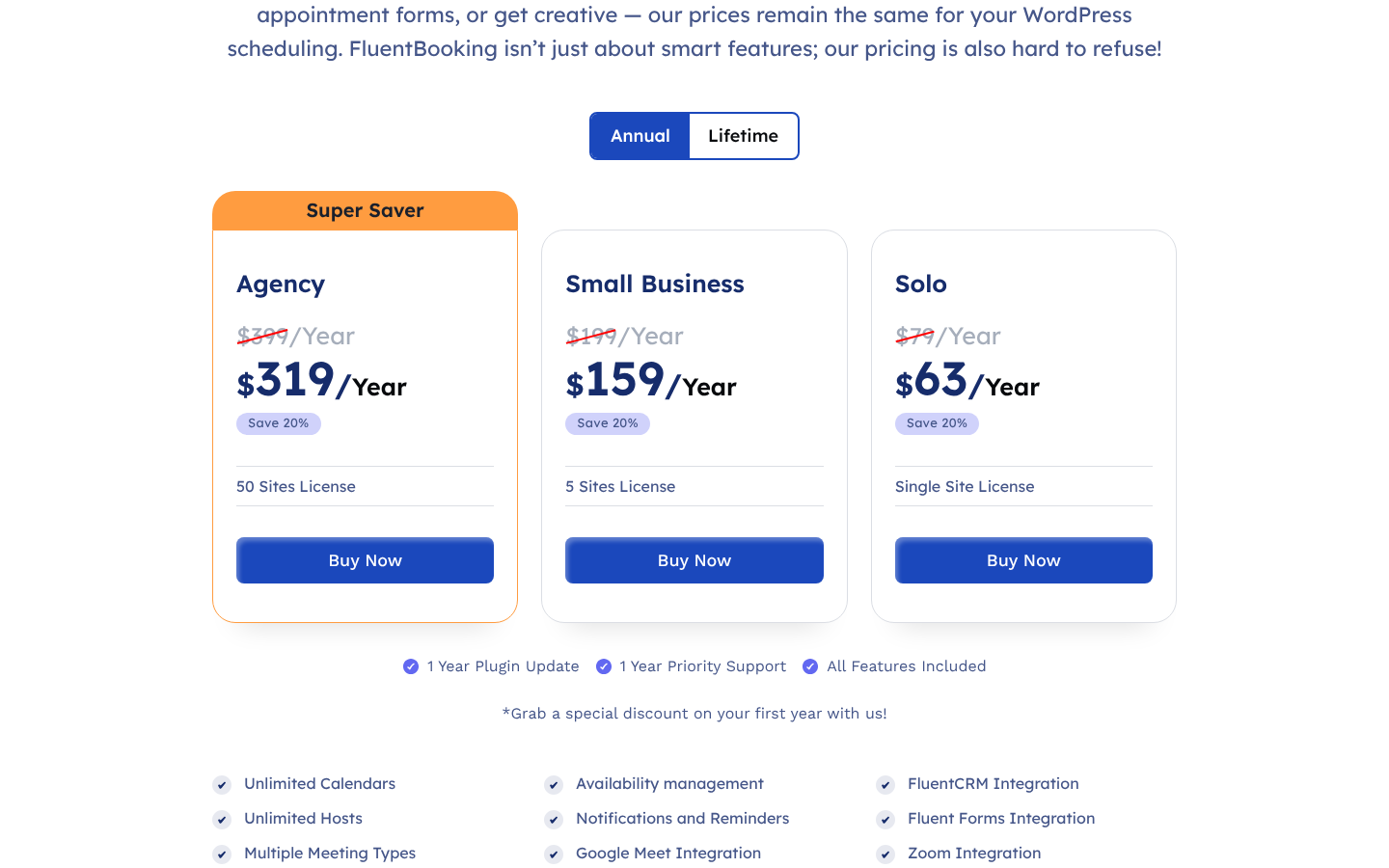
Every plan includes every feature: Solo $63/yr, Small Business $159/yr for 5 sites, Agency $319/yr for 50 sites, or lifetime from $199. The free plan is a working scheduler, but calendar sync, payments, video links, SMS and team meeting types are Pro. It has 20,000+ installs and 4.7 stars from 46 reviews.
Verdict: choose it to replace Calendly. It isn’t built for salons, clinics or ticketed events.
5. Salon Booking System: built for the salon chair
Salon Booking System is the only plugin here built for a single industry, and that focus shows in its AI. Version 10.31.0 (August 2026) added an AI Setup Assistant that configures the salon from plain-language instructions, plus an AI assistant on the booking calendar. That assistant manages reservations, customers and discounts, shows a preview before saving, and accepts voice input. Paid plans include 100 AI queries a month. There is no MCP, so you use the plugin’s own assistant rather than yours.
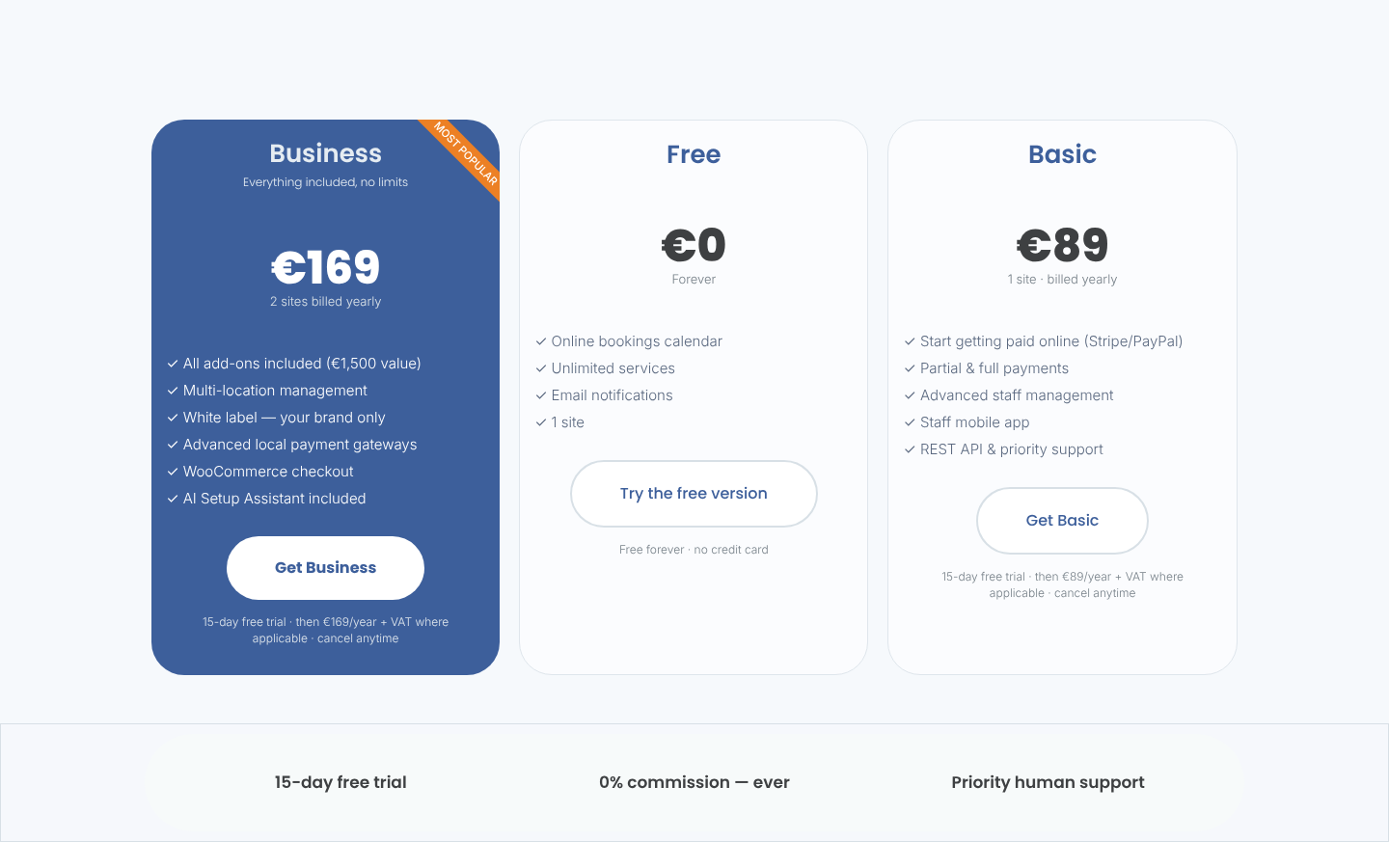
| Plan | Price | What matters |
|---|---|---|
| Free | €0 | Core salon booking on one site |
| Basic | €89/yr, 1 site | Payments and deposits, staff web app, REST API |
| Business | €169/yr, 2 sites | All add-ons, multiple locations, white label, WooCommerce checkout, AI Setup Assistant |
Prices exclude VAT. Both paid plans have a 15-day free trial. Purchases after a trial and renewals are non-refundable.
Verdict: a strong pick for a hair salon, barbershop or spa. Studios that also run classes or events will outgrow it. With 2,000+ active installs and 4.4 stars from 187 reviews, it is also much smaller than the plugins ranked above it.
6. BookingPress: big bundles, one important caveat
Start with the caveat: BookingPress is no longer on WordPress.org. WordPress.org closed its listing on 1 February 2025 for a guideline violation. The free Lite version (v1.6.7) now downloads from the vendor’s own store, so it doesn’t update through the WordPress.org directory, and there is no public review stream there.
The paid plugin is still very capable. BookingPress bundles 45+ add-ons on Standard and 60+ on Professional, supports 22+ payment gateways, two-way Google, Apple and Outlook sync, Zoom, Teams and Meet, and SMS, WhatsApp and Telegram messages. It holds 4.5 stars from 72 reviews on Capterra.
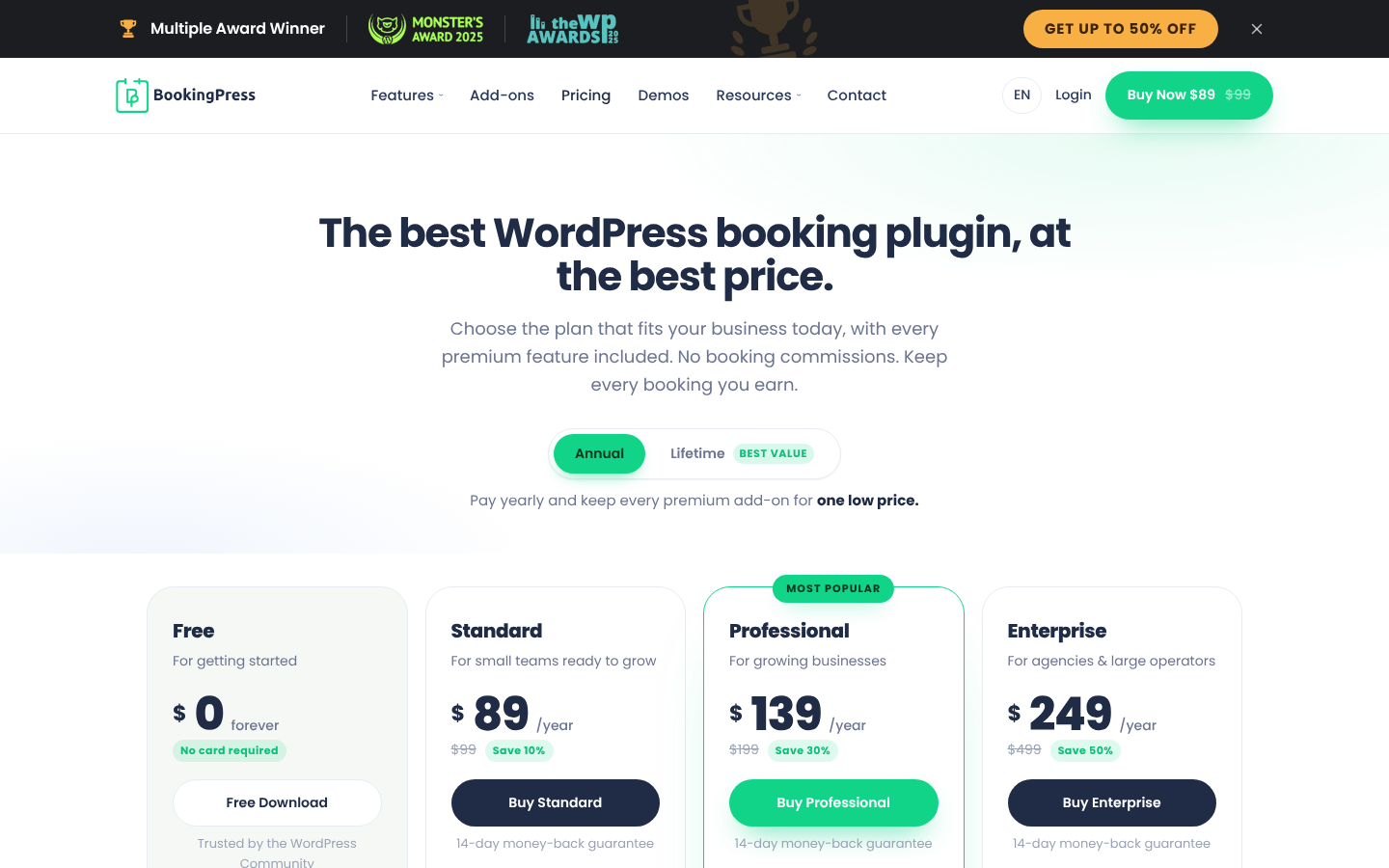
Plans are Standard $89/yr (1 site), Professional $139/yr (3 sites) and Enterprise $249/yr (20 sites), with lifetime from $229. We found no AI or MCP features, and the REST API is only on Enterprise. Verdict: good value per licence if you’re comfortable installing outside WordPress.org.
7. Booknetic: for selling booking as your own product
Booknetic is the plugin for people who want to resell booking, not just use it. Besides the WordPress plugin, there is a Booknetic SaaS edition for running bookings for many businesses, white labeling on the Elite plan, and a native iOS and Android app for owners and staff. It isn’t on WordPress.org, but CodeCanyon shows 10,782 sales and 4.91 stars from 471 ratings.
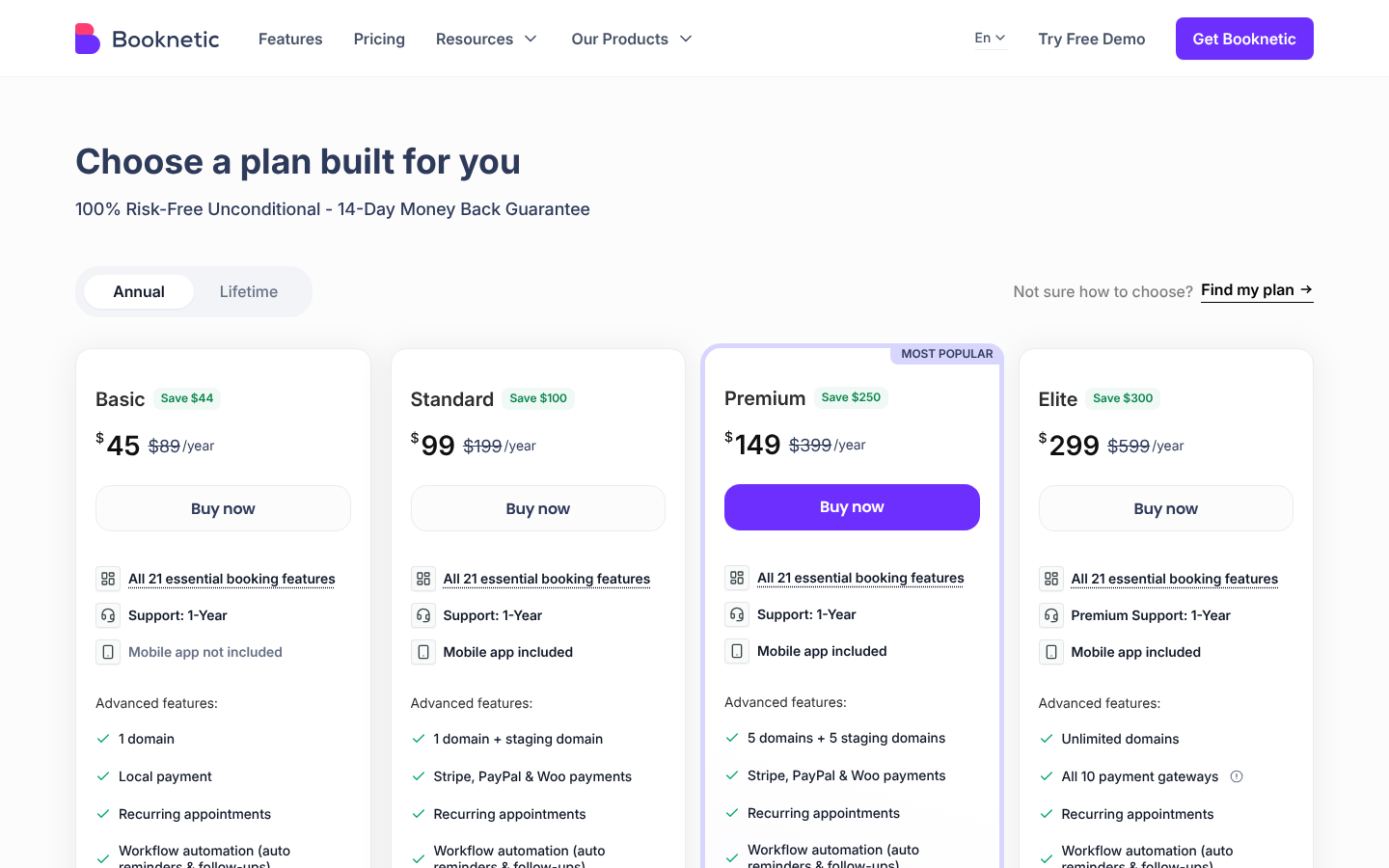
The cheap entry point is misleading for most businesses. Basic ($45/yr) has no Google Calendar, Zoom, SMS or app. SMS, WhatsApp and white label only come with Elite at $299/yr. Events need the separate Eventnetic plugin. We found a REST API but no AI or MCP, and we couldn’t find the free version the vendor mentions.
Verdict: worth a look for agencies building a branded booking service.
8. Simply Schedule Appointments: the happiest users on the list
Out of 155 WordPress.org reviews, 153 give Simply Schedule Appointments five stars, and none go below three. The free version never caps appointment types or bookings. You pay as needs grow: classes and Google Calendar on Plus ($99 first year), Stripe, PayPal and SMS on Professional ($199 first year), team members on Business ($399 first year). Renewals are at full price, from $129 to $499. There’s no WooCommerce, white label, mobile app or AI.
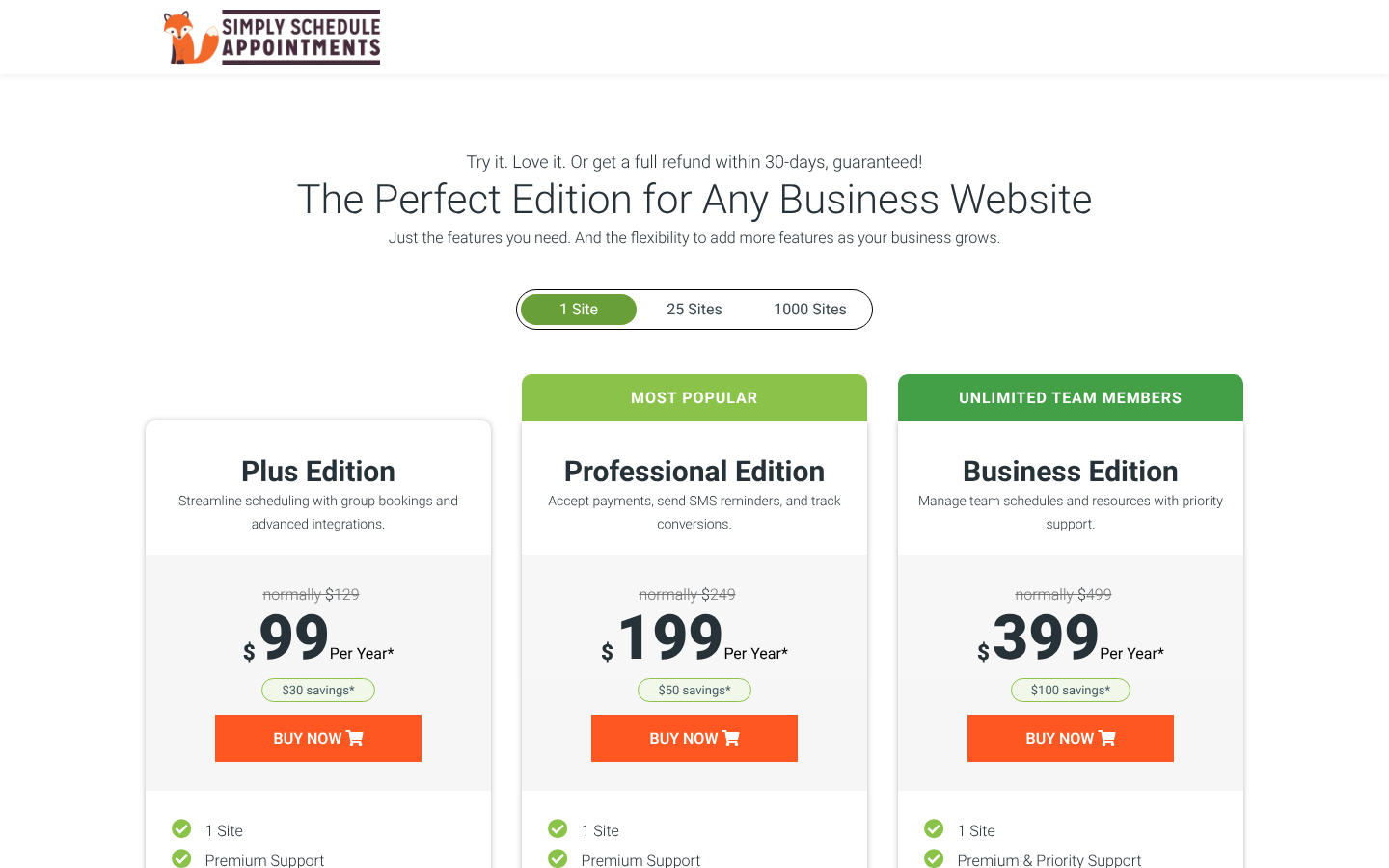
Verdict: a dependable free scheduler for consultants and small offices.
9. WooCommerce Bookings: when your store is the business
WooCommerce Bookings makes sense in one situation: you already run a WooCommerce store and want to sell bookable products in it. Kayak rentals, tour slots, rooms or workshops become products with resources, person types, buffers and every WooCommerce payment gateway.
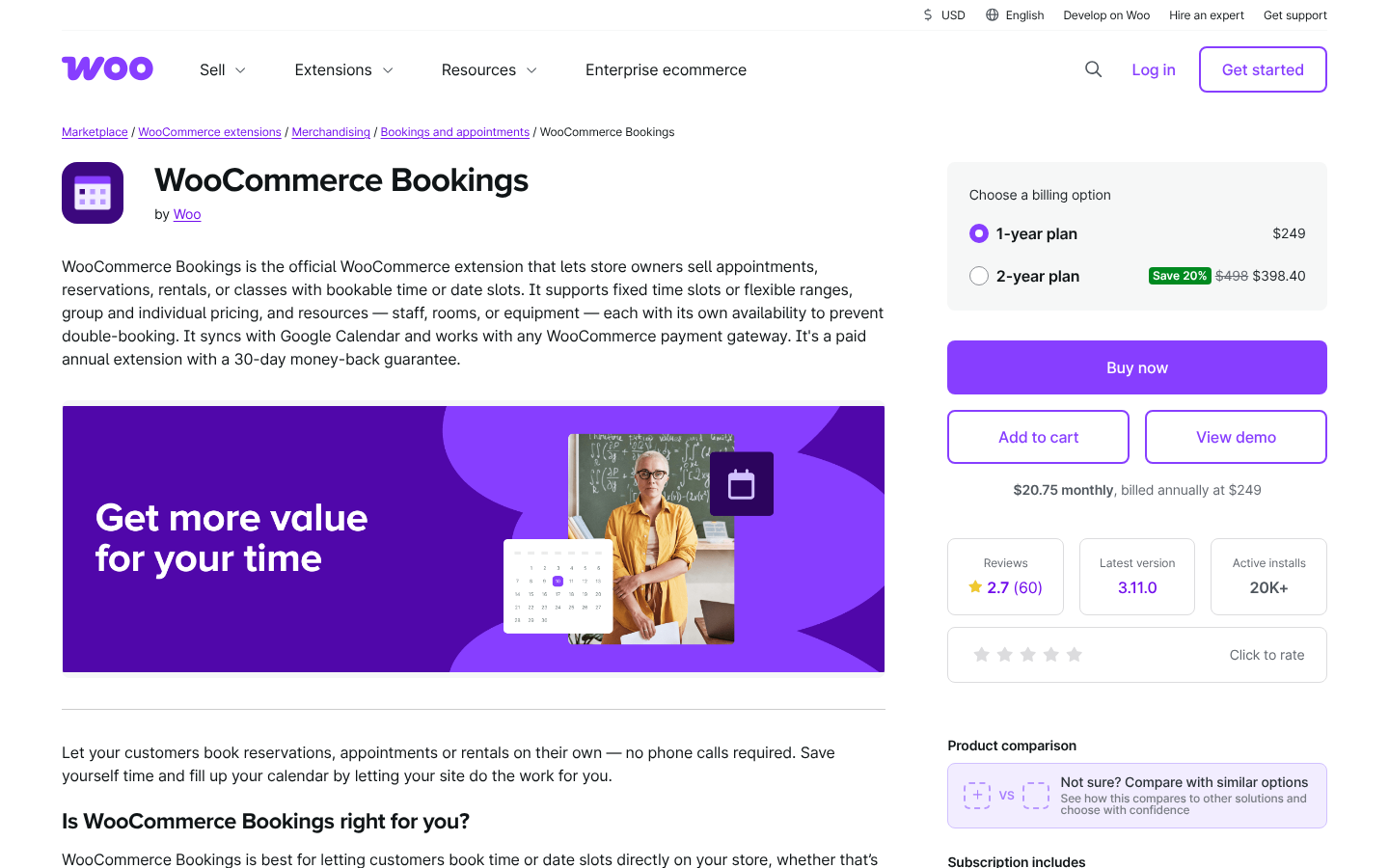
Outside that situation, it’s hard to recommend. It costs $249/yr, deposits need WooCommerce Deposits for another $219/yr, and there’s no free version. On WooCommerce.com it is rated 2.7 out of 5 from 60 reviews, with 38% one-star. WooCommerce core’s MCP preview covers products and orders, not bookings. Verdict: for service businesses, Amelia’s WooCommerce integration gives you WooCommerce checkout without the extra licences.
10. Booking Calendar: nights and dates, paid once
Booking Calendar works in dates, not services. It has been on WordPress.org since 2009 and is aimed at holiday rentals, rooms and equipment. It has 40,000+ installs and 4.8 stars from 657 reviews. The free version prevents double bookings and imports and exports .ics feeds for Airbnb and Booking.com, but it takes no payments.
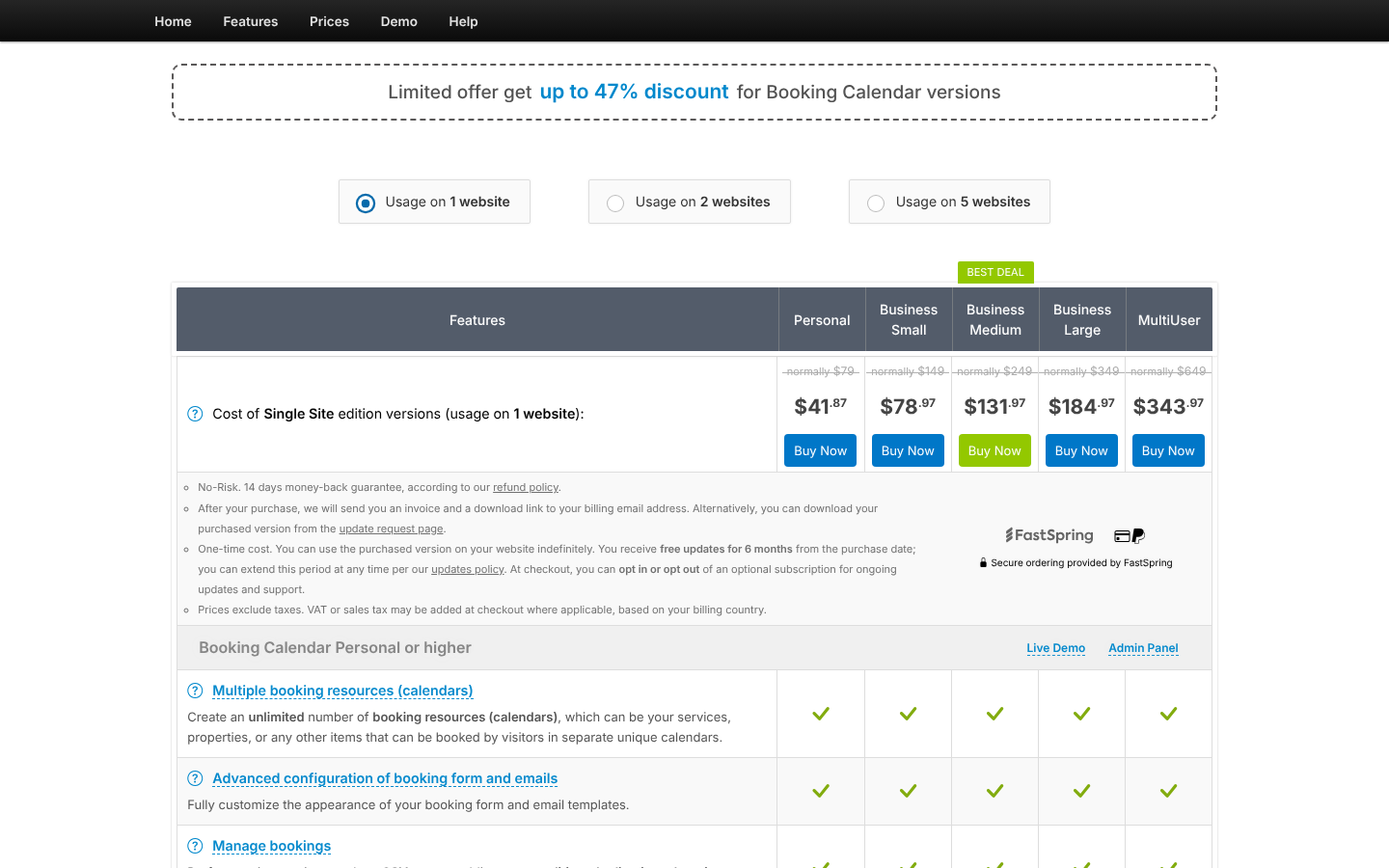
Paid editions are a one-time payment that includes six months of updates. Regular prices run from $79 to $649 for one site, and they were up to 47% off when we checked. Payments start at Business Small, deposits at Business Medium. Verdict: a good fit for rental owners who would rather pay once. Not for service menus or AI workflows.
Three more we looked at: MotoPress Hotel Booking (hotels and vacation rentals, from $139/yr), Easy Appointments (free, with an AI chat booking widget in Pro, from $39) and Calendly (SaaS rather than a plugin, from $10 per seat per month, with a hosted MCP server since March 2026). Calendly is a solid scheduler, but it keeps your data on its own platform and doesn’t sell events or take WooCommerce payments.
Common booking-plugin mistakes to avoid
- Choosing a meeting scheduler for a service business. Calendly-style tools are great for sales calls, but they struggle with service menus, staff, packages and events. Match the plugin’s model to how you sell.
- Ignoring add-on and credit costs. A $39 plan can cost several times that once payments, calendar sync and SMS are added. Price the plan you will actually need in a year.
- Skipping deposits. If no-shows hurt you, take a deposit at booking. Every plugin above except SSA and FluentBooking documents deposits on a paid plan.
- Not syncing calendars both ways. One-way sync is how double bookings happen. Check that Google or Outlook sync is two-way on the plan you buy.
- Giving an AI assistant admin rights on day one. Connect your MCP client with a dedicated WordPress user, start with read-only actions, and widen permissions once you trust the workflow.
- Caching or minifying the booking page carelessly. Booking forms load live availability. Exclude the booking page’s scripts from JavaScript minify and delay, and test a booking as a logged-out visitor after any speed change.
- Forgetting the client experience on mobile. Most clients book from their phones. Make a test booking on a phone before you launch.
Final picks: the best WordPress booking plugin for your goal
For years, comparing booking plugins came down to form design and payment gateways. In 2026 the more useful question is how much of the front desk you can hand over. Amelia does all six jobs well, books every kind of appointment and event, and is the only plugin here where one AI assistant can work across your forms, bookings and data. LatePoint can be the smart free start, FluentBooking is the right tool for meetings, and Salon Booking System and Booking Calendar win their niches.
Whichever you choose, install the free version, make a real test booking on your phone, and ask your AI assistant for tomorrow’s schedule. A good front desk should pass all three tests.
| Your goal | Best choice | What to expect |
|---|---|---|
| Best overall, AI-ready booking for appointments and events | Amelia | MCP in every plan, AI website builder, white label and mobile app on Elite |
| Most generous free version | LatePoint | Events, payments and MCP at $0 |
| Best customer-facing AI booking chat | Bookly | AI Assistant booking form via Bookly Cloud |
| Best Calendly replacement | Fluent Booking | MCP |
| Best add-on bundle per licence | BookingPress | 45+ add-ons from $89/yr |
| Best for salons and spas | Salon Booking System | Salon workflows and an AI setup assistant |
| Best for agencies (white label + app + events) | Amelia | Mobile app, white label |
| Best for rentals in WooCommerce | WooCommerce Bookings | Bookings as WooCommerce products |
| Best one-time payment for rentals | Booking Calendar | Pay once, date-range calendars |
What to do this week:
- Define how you sell. Services and staff, classes and events, meetings, or rentals? That rules most plugins in or out.
- List your must-haves. Payments and deposits, two-way calendar sync, SMS or WhatsApp reminders, multiple locations.
- Install one free version. Start with Amelia Lite or LatePoint, add your real services, and make a test booking on your phone.
- Connect your AI assistant. If your plugin has an MCP server, connect Claude or Cursor and ask it for tomorrow’s schedule.
- Price your year-two plan. Check renewal prices and add-on costs before you commit.